

Gaming beyond limitations
I remember talking to a friend, Mark, a few years ago. He’d been a competitive StarCraft II player before a car accident resulted in limited mobility in his left hand. He described the frustration of being sidelined, not by a lack of skill, but by a lack of accessible equipment. It stuck with me. Gaming shouldn’t be exclusive; it should be a space where everyone can participate, compete, and connect.
Manufacturers are finally catching up to the demand for adaptive gear. One-handed keyboards are now a practical tool for players with upper limb differences or injuries, moving accessibility from a niche hack to a standard setup option.
This is about access. Modern options are more sophisticated than the clunky DIY kits of the past. I've narrowed down the best hardware available this year to help you find a setup that actually works.
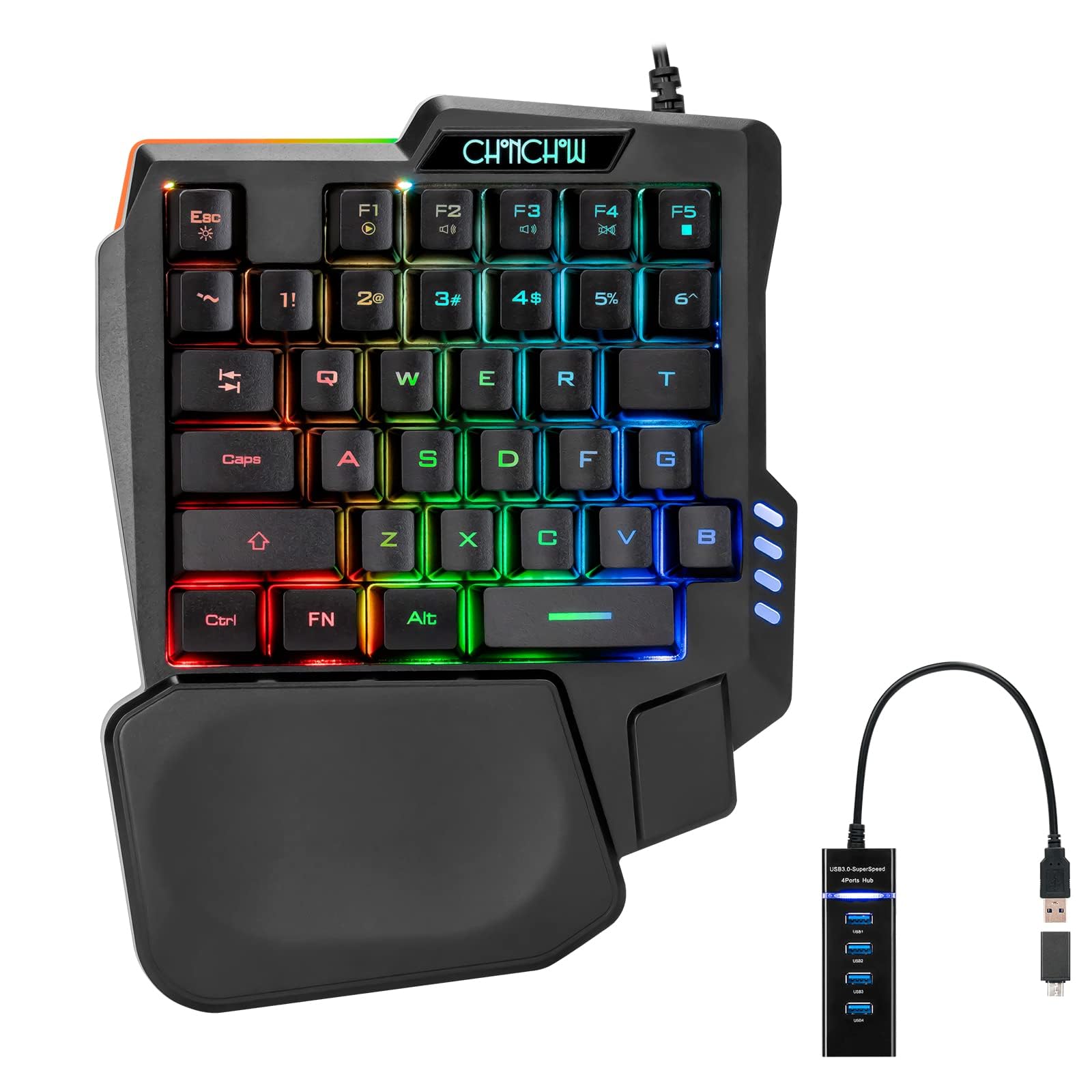
Defining the one-handed keyboard
A one-handed gaming keyboard isn’t simply a standard keyboard cut in half. It's a thoughtfully designed input device optimized for efficient and comfortable use with a single hand. These keyboards prioritize key placement, ergonomics, and customization to allow players to execute complex commands without relying on two hands.
Different layouts are common, each with its own strengths. Ortholinear layouts arrange keys in a grid pattern, which can reduce finger travel. Columnar staggered layouts, like the Maltron, place keys in vertical columns, minimizing wrist movement. Split keyboards, while often used with both hands, can also be adapted for one-handed use by positioning one half within easy reach.
Ergonomic design is at the core of these keyboards. Features like sculpted keywells, adjustable tilt angles, and integrated wrist rests help reduce strain and fatigue. Some keyboards allow for extensive customization of key placement and actuation force. You can find fully custom builds, often 3D-printed, alongside more readily available, off-the-shelf options. The price and level of customization vary greatly between these two approaches.
Ten adaptive keyboards for 2026
The market for one-handed gaming keyboards is still relatively small, but it’s growing rapidly. Here’s a rundown of ten adaptive gaming keyboards worth considering, as of late 2026. Prices are approximate and can vary depending on retailer and configuration.
1. Maltron 3DT (Price: $700-$1200): A classic in the ergonomic keyboard world, the Maltron 3DT features a highly sculpted keywell and is designed for maximum comfort and efficiency. It's ideal for users with repetitive strain injuries or limited hand mobility. It's a significant investment, but many users swear by its long-term benefits.
2. ErgoDox EZ (Price: $300-$600): A popular split keyboard that can be configured for one-handed use. The ErgoDox EZ is fully customizable, allowing you to adjust key placement, actuation force, and even the keyboard’s firmware. It requires some setup, but the flexibility is unmatched.
3. Kinesis Advantage2 (Price: $350-$450): Another contoured keyboard with a dedicated following. The Kinesis Advantage2 features a unique bowl-shaped design and thumb clusters for easy access to modifier keys. It’s a good option for gamers who prefer a more traditional keyboard layout.
4. Wooting One (Price: $200-$300): While not explicitly designed as a one-handed keyboard, the Wooting One’s analog switches and extensive customization options make it surprisingly adaptable. You can remap keys, adjust actuation points, and create custom profiles for different games.
5. X-Keys Programmable Keyboard (Price: $250-$500): This keyboard isn't flashy, but it’s incredibly versatile. With fully programmable keys, it’s perfect for gamers who need quick access to macros or complex commands. It's often used in simulations and strategy games.
6. Razer Tartarus Pro (Price: $130-$180): A gaming keypad with 32 programmable keys and a comfortable wrist rest. The Razer Tartarus Pro is a good entry-level option for gamers who want to experiment with one-handed control. It’s particularly well-suited for MMOs and MOBAs.
7. GameSir G6 (Price: $80-$120): A budget-friendly gaming keypad with customizable RGB lighting and programmable buttons. The GameSir G6 is a decent option for casual gamers or those who are new to one-handed control.
8. ZSA Moonlander (Price: $300-$400): Similar to the ErgoDox EZ, the ZSA Moonlander is a split keyboard with a focus on ergonomics and customization. It features adjustable tenting and tilting, allowing you to find the perfect angle for your hands.
9. Dygma Raise (Price: $280-$350): Another split keyboard that can be configured for one-handed use. The Dygma Raise features a sleek design, hot-swappable switches, and customizable RGB lighting. It's a good option for gamers who want a stylish and functional keyboard.
10. Custom 3D-Printed Keyboards (Price: Varies): Using platforms like Thingiverse and working with 3D printing services, you can create a completely custom one-handed keyboard tailored to your specific needs and preferences. This is the most flexible option, but it requires technical knowledge and a willingness to experiment.
Featured Products

Analog-Optical Key Switches for variable input · Rapid Trigger and Adjustable Actuation for precise control · 32 Programmable Keys and Customizable Macros for personalized gameplay
The Razer Tartarus Pro offers highly customizable analog input and programmable keys, making it ideal for gamers needing precise control and adaptive shortcuts.

Ergonomic design with contoured shape · Programmable G-keys for custom commands · Backlit keys for visibility in low light
The Logitech G13 provides an ergonomic layout with numerous programmable keys, offering a comfortable and efficient control solution for extended gaming sessions.

42 Keys with hot-swappable mechanical switches · 7 Onboard Macro Keys for complex commands · Detachable wrist rest for added comfort
The Redragon K585 DITI is a budget-friendly option featuring hot-swappable switches and dedicated macro keys, providing a customizable and accessible gaming experience.
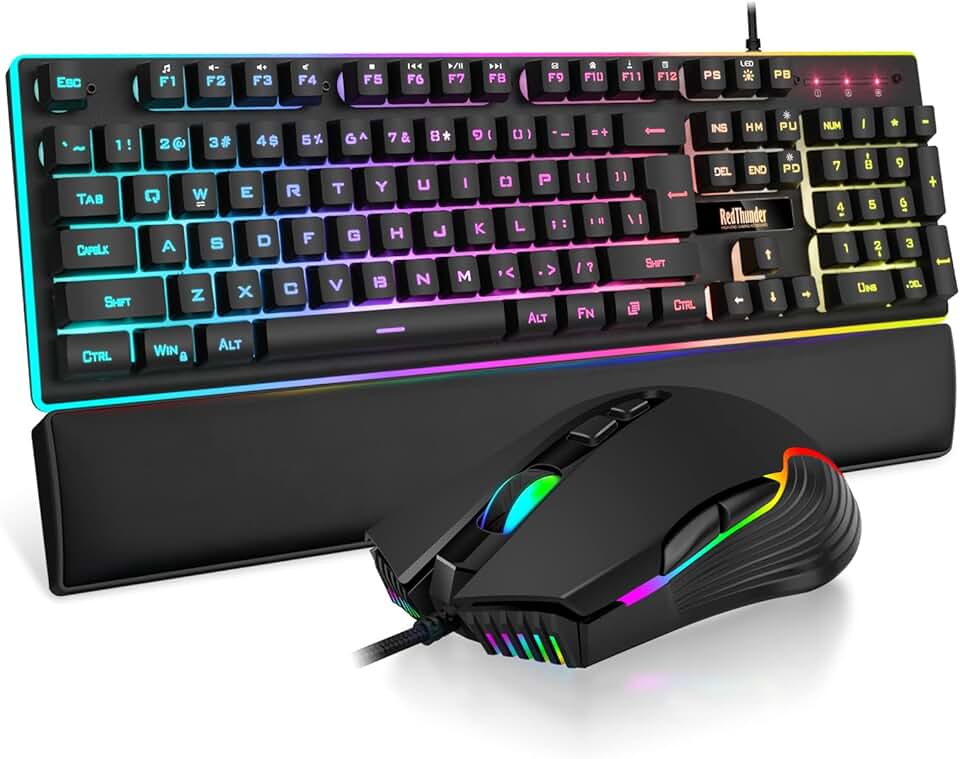
Mechanical feel keyboard with RGB backlighting · 7D 7200 DPI mouse for precise aiming · Soft leather wrist rest for comfort
This combo offers a complete gaming setup with a responsive keyboard, a high-DPI mouse, and a comfortable wrist rest, suitable for gamers seeking an all-in-one accessible solution.

Hybrid Mechanical Switches for a tactile feel · Per-Key RGB Illumination for personalized aesthetics · OLED Smart Display for in-game information
The SteelSeries Apex 5 combines mechanical feel with a vibrant display and customizable lighting, offering a premium and adaptable gaming interface.
As an Amazon Associate I earn from qualifying purchases. Prices may vary.
Essential accessories
A one-handed gaming keyboard is a great start, but a complete setup often requires additional accessories to maximize comfort and performance. An adjustable keyboard stand is essential for finding the optimal height and angle. Consider one that allows for both tilt and swivel adjustment.
A wrist rest can provide much-needed support and reduce strain on your wrist. Gel-filled or memory foam wrist rests are particularly comfortable. Specialized keycaps can also enhance the gaming experience. Sculpted keycaps or those with textured surfaces can improve grip and tactile feedback.
Don't underestimate the power of good software. Key remapping tools allow you to assign different functions to keys, while macro creation software lets you automate complex commands. A comfortable mouse is also essential, and many gamers with limited mobility opt for trackball mice or other alternative pointing devices.
Software and customization
Software plays a crucial role in optimizing a one-handed gaming setup. AutoHotkey is a powerful scripting language for Windows that allows you to remap keys, create macros, and automate tasks. It has a steep learning curve, but the possibilities are endless. There are also more user-friendly key remapping tools available, such as SharpKeys and Key Remapper.
Many operating systems include built-in accessibility features that can be helpful. Windows’ Sticky Keys allows you to press modifier keys (like Shift and Ctrl) one at a time, rather than holding them down. Filter Keys can ignore brief or repeated keystrokes, which can be useful for players with tremors.
For advanced users, exploring scripting languages like Python or Lua can unlock even greater customization options. It might be possible to create custom control schemes that adapt to your specific needs and preferences, though this requires significant programming knowledge. I'm not sure about specific SDKs currently available for these keyboards, but the potential is there.
Console gaming challenges
Using a one-handed keyboard with a console (PlayStation, Xbox, Nintendo Switch) presents unique challenges. Consoles aren’t typically designed to accept keyboard input directly. Adapters like the XIM Apex allow you to connect a keyboard and mouse to a console, but they can be expensive and may introduce input lag.
Compatibility issues are common. Not all games support keyboard and mouse input on consoles, and even those that do may have limited customization options. Co-pilot features on Xbox allow you to combine two controllers into one, but this doesn’t necessarily solve the problem for players who can only use one hand.
The Xbox Adaptive Controller is the most flexible alternative. You can plug in various switches and joysticks to build a custom rig, though the initial cable management and mapping is a headache. It isn't a plug-and-play solution, but it's the most reliable way to get around console restrictions.
Community resources
Finding support and connecting with other disabled gamers can be incredibly valuable. AbleGamers () is a non-profit organization dedicated to improving accessibility in video games. SpecialEffect () provides assistive technology to gamers with disabilities.
Online forums and communities, such as the r/AdaptiveGaming subreddit, offer a space to share tips, ask questions, and connect with others. Savy Assist also has a growing library of articles and guides on assistive technology and gaming accessibility. We aim to be a resource for anyone looking to overcome barriers to gaming.

No comments yet. Be the first to share your thoughts!