

Voice mode changes how we talk to AI
February 2026 marked a shift in how many people interact with AI. OpenAI released voice mode for ChatGPT, allowing users to converse with the chatbot using spoken language. This isn’t simply a different interface for the same functionality; it fundamentally changes the accessibility profile of the tool. Initial reactions were understandably enthusiastic, with many seeing it as a potential breakthrough for those who find traditional typing difficult or prefer speaking to writing.
For people with motor impairments or dyslexia, voice mode is more than a novelty. It is a direct way to create content without a keyboard. I want to see if this actually holds up as a tool for daily work or if it is just a polished toy. The answer depends on whether you need raw transcription or a partner to help you think out loud.
ChatGPT is good at text. Voice mode just gives that engine a set of ears. Unlike standard dictation, you are talking to an interface that understands intent. If you stumble over a word, it usually figures out what you meant. That is the main divide between this and old-school software.
The old guard: Dragon and system dictation
For years, traditional speech-to-text software has been the go-to solution for hands-free dictation. Dragon NaturallySpeaking, developed by Nuance, remains a dominant force, known for its high accuracy, particularly after extensive voice training. Windows Speech Recognition, built into Microsoft operating systems, offers a free alternative, while Apple’s built-in dictation provides a similar function for macOS and iOS users. Each has its strengths.
The advantage of these established programs lies in their customizability. Users can train them to recognize their voice, accent, and even specific vocabulary. This is particularly important for professionals in specialized fields, like law or medicine, who need accurate transcription of technical terms. According to a March 2026 review by willowvoice.com, Dragon’s accuracy with a trained voice consistently outperforms general-purpose speech recognition tools.
However, they aren’t without drawbacks. Dragon, while powerful, comes with a significant price tag. Windows Speech Recognition and Apple Dictation, while free, often require more editing and correction. All three can present a steep learning curve, and privacy concerns are legitimate – these programs often require access to your microphone and may store voice data. The lag identified by willowvoice.com as inherent in these systems can also disrupt workflow.
How voice mode actually performs
Testing ChatGPT’s voice mode reveals a mixed bag of results. Accuracy is generally good, particularly with clear speech and common vocabulary. It handles a range of accents surprisingly well, though regional dialects and strong inflections can sometimes cause errors. I found it particularly adept at understanding context, often correctly interpreting ambiguous phrases.
Background noise kills the accuracy. If a fan is running or people are talking nearby, the model trips up. It also fails on niche technical terms because it is a generalist. It is not transcribing your exact sounds; it is guessing the most likely words to follow your intent.
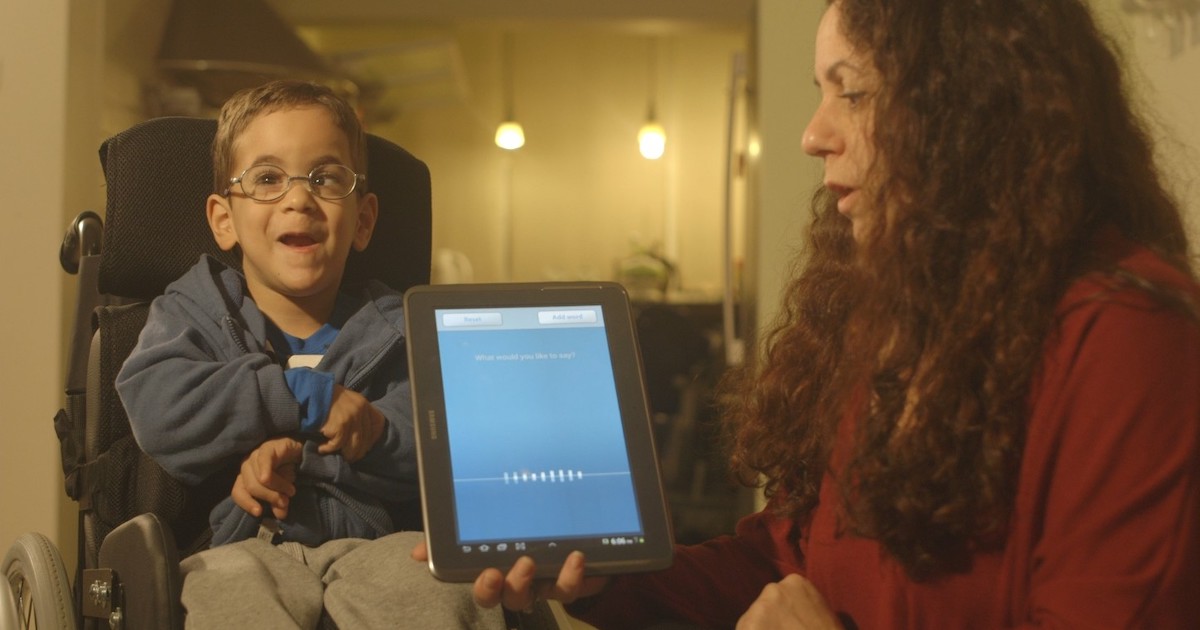
Perhaps the most crucial aspect is its performance with users who have speech impediments. While not a perfect solution, initial observations suggest ChatGPT is more forgiving than traditional software. Its ability to understand intent, rather than relying solely on precise pronunciation, could be a significant benefit. It’s not a replacement for speech therapy, but it may offer a valuable communication aid. I’ve seen anecdotal evidence online of users with mild stuttering finding it easier to communicate through voice mode than through typing.
One consistent issue I encountered was punctuation. ChatGPT often requires explicit commands for commas, periods, and other punctuation marks, which can slow down the dictation process. It’s improving, but it’s not yet as intuitive as a dedicated dictation program. Furthermore, while ChatGPT can handle complex sentences, it sometimes struggles with nuanced language or sarcasm, leading to misinterpretations.
Accuracy in the real world
Directly comparing accuracy is tricky, as standardized benchmarks are limited. However, we can assess performance across different scenarios. For dictating a legal document requiring precise terminology, Dragon NaturallySpeaking, with a trained voice profile, likely holds the edge. Its specialized vocabulary and focus on accuracy make it well-suited for this task.
For writing a casual email or composing a creative story, ChatGPT’s voice mode shines. Its ability to understand context and generate natural-sounding text results in a more fluid and less error-prone experience. The conversational aspect allows for quick corrections and refinements, streamlining the writing process. Traditional software requires more manual editing and correction.
Consider the task of adding punctuation. Dragon and Windows Speech Recognition rely on spoken commands like “comma” or “period,” which can interrupt the flow of thought. ChatGPT, while still requiring explicit commands, allows for a more conversational approach – you can ask it to “add a comma after that phrase,” for example. It’s a subtle difference, but one that can significantly impact usability.
ChatGPT Voice Mode vs. Traditional Speech-to-Text: A Comparative Analysis (2026)
| Feature | ChatGPT Voice Mode | Dragon NaturallySpeaking | Windows Speech Recognition | Apple Dictation |
|---|---|---|---|---|
| Accuracy (General Speech) | Context-dependent; excels with clear speech | Generally very high, especially after training | Moderate; improves with usage | Moderate; improves with usage |
| Accuracy (Accents/Dialects) | Improving, but potential biases exist; variable performance | Good, with user-specific acoustic model training | Variable; can struggle with less common accents | Variable; generally performs better with common accents |
| Accuracy (Complex Vocabulary) | Strong due to large language model; understands context | Very good, particularly with custom word lists | Moderate; may misinterpret specialized terms | Moderate; benefits from custom vocabulary additions |
| Ease of Use (Setup) | Simple; often integrated into existing workflows | More complex; requires initial training and setup | Relatively simple; built into the operating system | Simple; integrated into Apple ecosystem |
| Ease of Use (Learning Curve) | Low; conversational interface is intuitive | Steeper; requires learning voice commands | Moderate; basic commands are straightforward | Low; similar to typing |
| Integration (App Compatibility) | Broad; works within ChatGPT interface and potentially via API integrations | Wide; integrates with many applications | Limited; primarily functions within Windows applications | Limited; primarily functions within Apple applications |
| Privacy | Data processed by OpenAI; potential privacy considerations | Primarily processed locally; user data control | Data processed locally; Microsoft privacy policy applies | Data processed locally; Apple privacy policy applies |
| Cost | Dependent on ChatGPT subscription or API usage | Subscription-based; professional versions are costly | Included with Windows operating system | Included with Apple operating system |
Qualitative comparison based on the article research brief. Confirm current product details in the official docs before making implementation choices.
Beyond Dictation: The Conversational Advantage
This is where ChatGPT truly differentiates itself. Unlike traditional speech-to-text software, ChatGPT isn’t just a transcription tool; it’s a conversational AI. You can ask it to rephrase a sentence, summarize a paragraph, or expand on an idea. This is incredibly valuable for individuals who struggle with editing or have cognitive impairments.
Imagine dictating a rough draft and then asking ChatGPT to “make this sound more professional” or “simplify this explanation.” This level of interaction is simply not possible with traditional software. It transforms the dictation process from a linear input method to a collaborative writing experience. For someone who has difficulty organizing their thoughts, this can be a game-changer.
The conversational ability also extends to error correction. Instead of manually correcting mistakes, you can simply say “that’s wrong” or “change "X’ to ‘Y"”. ChatGPT will attempt to understand your request and make the necessary adjustments. This intuitive interaction makes the editing process much more accessible and efficient.
Accessibility Features: A Closer Look
Both ChatGPT voice mode and traditional speech-to-text software offer accessibility features, but their implementation varies. Dragon NaturallySpeaking has long been recognized for its compatibility with screen readers and other assistive technologies. Windows Speech Recognition and Apple Dictation also offer basic screen reader support, though it’s not always seamless.
ChatGPT’s accessibility features are still evolving. While it can be used with screen readers, the experience isn’t always optimal. The conversational interface can sometimes be disorienting for screen reader users, and navigating the chat history can be challenging. OpenAI is actively working to improve accessibility, but it still lags behind dedicated assistive technologies.
Integration with other adaptive devices is also a key consideration. Dragon NaturallySpeaking integrates with a wide range of third-party applications and hardware, allowing for customized workflows. ChatGPT’s integration options are currently more limited, but OpenAI is opening up its API, which could lead to greater compatibility in the future.
Essential Assistive Tech for Enhanced Voice Interaction

Immersive Spatial Audio · World-class noise cancellation · Up to 30 hours of playtime
These headphones provide exceptional audio clarity and noise cancellation, crucial for clear voice input and immersive audio feedback when using voice-enabled AI.

Ergonomic design for comfort · Ultra-fast scrolling · Quiet click buttons
This mouse offers precise control and comfortable extended use, ideal for navigating interfaces and managing applications alongside voice commands.

Analog-Optical Key Switches · 32 programmable keys · Customizable macros
While designed for gaming, its programmable keys can be repurposed for quick access to commands or shortcuts, complementing voice input for enhanced workflow efficiency.

Hands-free control · Rechargeable battery · Compatible with tablets and smartphones
This foot pedal allows for hands-free operation, enabling users to control applications or turn pages without interrupting their voice input or other tasks.

5X magnification · 3 color light modes · Relieves eye strain
This magnifier provides clear, enlarged text and adjustable lighting, assisting users who may need visual aids to read or interact with on-screen information alongside voice-based AI.
As an Amazon Associate I earn from qualifying purchases. Prices may vary.
Privacy Considerations: What Are You Sharing?
Privacy is a significant concern with both ChatGPT voice mode and traditional speech-to-text software. Dragon NaturallySpeaking has faced scrutiny over its data collection practices in the past, while Windows Speech Recognition and Apple Dictation also collect voice data to improve their accuracy. It’s crucial to review the privacy policies of each provider.
ChatGPT, being a cloud-based service, inherently involves sharing your voice data with OpenAI. The company states that it uses this data to improve its models, but it also raises concerns about data security and potential misuse. It's important to understand that your conversations are being recorded and analyzed. Users should carefully consider these implications before using the service.
Always read the fine print and understand how your data is being used. Consider using a privacy-focused browser and VPN to protect your online activity. Be mindful of the information you share and avoid dictating sensitive personal information if you have concerns about privacy.
No comments yet. Be the first to share your thoughts!