

How AI understands the screen
For decades, screen readers have been essential tools for people with visual impairments, translating digital text into speech or braille. But these traditional tools often struggle with the complexities of modern web content. They can be tripped up by poorly structured websites, inconsistent coding, and the increasing use of images and multimedia. The core issue is a lack of contextual understanding – older screen readers primarily read what’s on the page, without necessarily grasping its meaning.
That’s where artificial intelligence comes in. AI-powered screen readers aren’t just reading text; they’re attempting to understand it. This means utilizing natural language processing (NLP) to interpret the relationships between different elements on a page, and to provide more meaningful descriptions. Imagine a screen reader not just announcing “image,” but explaining “a photograph of a golden retriever playing fetch in a park.” The difference is substantial.
The shift isn't just about better descriptions. AI is tackling challenges like recognizing complex tables, deciphering charts and graphs, and even understanding the intent behind interactive elements. Web content is becoming more dynamic and reliant on JavaScript, which traditionally posed problems for screen readers. AI offers a potential solution by analyzing the code and presenting information in a more accessible way. It’s a rapidly evolving field, and while we’re not at a perfect solution yet, the progress is significant.
These tools aren't magic. They need heavy processing power and high-quality training data to work. Right now, developers are adding AI features to old standby programs while a few new startups build from the ground up.
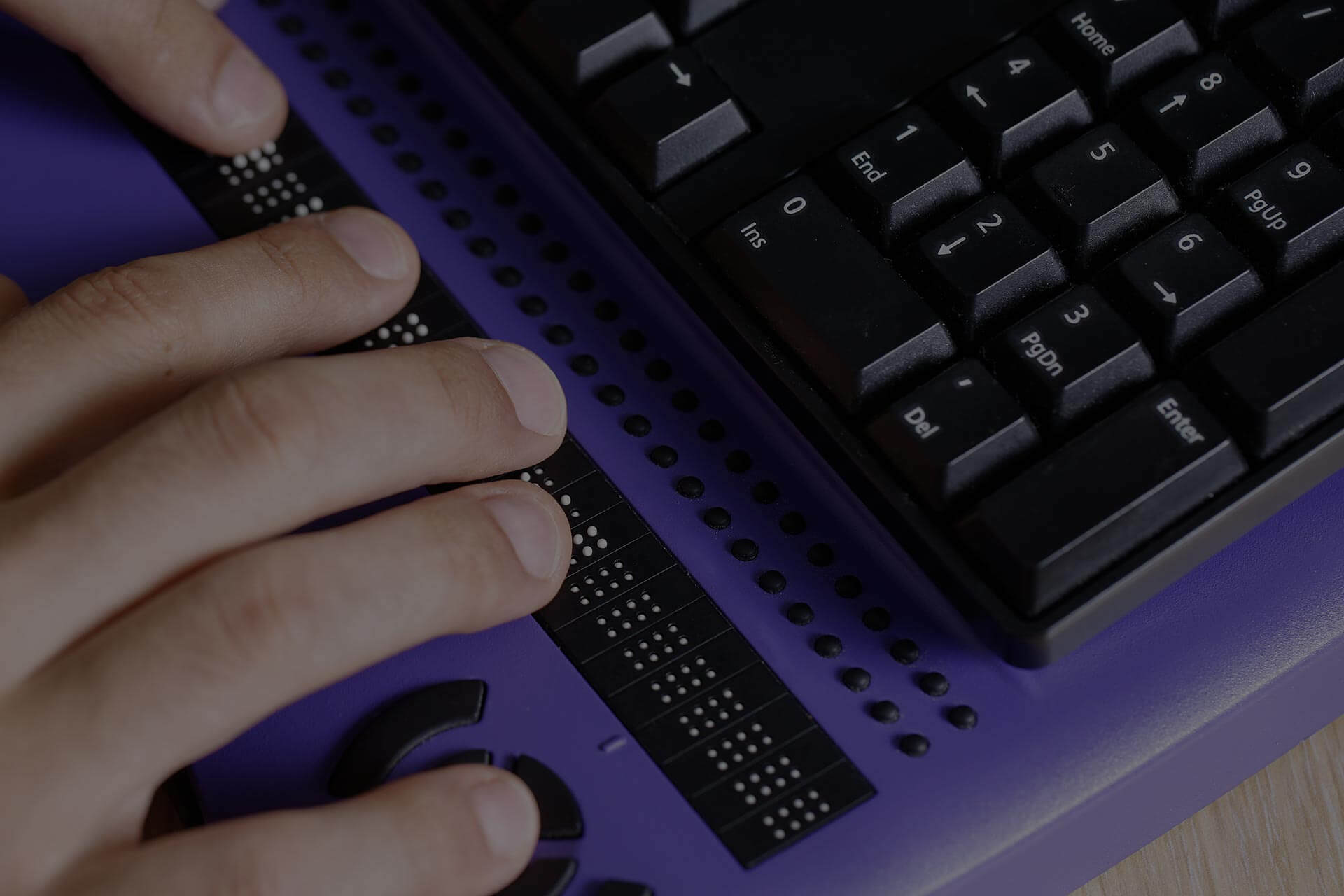
Screen readers to watch in 2026
NVDA is the one to watch. It's free and open-source for Windows. While the base program is traditional, the plugin community is moving fast. You can already find add-ons for image recognition and OCR that outperform the built-in tools.
JAWS, a commercial screen reader also for Windows, has a long-standing reputation for reliability and extensive features. While specifics are still developing, expect to see AI integrations focusing on improved contextual understanding and handling of complex web applications. The company has signaled an intention to leverage AI for features like automatic table summarization and intelligent form navigation. The cost of JAWS can be a barrier for some—a perpetual license is approximately $90, with annual subscription options available.
Orca, the default screen reader for the GNOME desktop environment on Linux, is gaining traction. The open-source nature of Orca allows for community-driven AI development, and we’re already seeing advancements in its ability to handle modern web standards. Linux users often have a higher degree of technical proficiency, and Orca’s flexibility appeals to this demographic. It's a strong choice for those comfortable with customization.
Apple’s VoiceOver, built into macOS and iOS, benefits from Apple’s broader investment in AI and machine learning. While not marketed as an “AI screen reader” specifically, VoiceOver leverages Apple’s Core ML framework to enhance features like image descriptions and text recognition. It’s deeply integrated into the Apple ecosystem, providing a seamless experience for users of iPhones, iPads, and Macs.
Beyond these established players, several newer entrants are worth watching. Companies like Seeing AI (Microsoft) and Lookout (Google) are pushing the boundaries of computer vision and accessibility. These apps, primarily focused on mobile devices, use AI to identify objects, read text, and describe scenes in real-time. While not full-fledged screen readers, they offer valuable supplementary tools.
The key differentiator between these options isn't just the features themselves, but how those features are implemented. A screen reader that can accurately interpret the context of a webpage, providing a concise and informative summary, is far more useful than one that simply reads every element on the page. The ability to handle dynamic content and complex web applications will also be a crucial factor.
- NVDA: Free, open-source, expanding AI plugin ecosystem.
- JAWS: This commercial giant is testing automatic table summaries and smarter form navigation. A license costs about $90 a year.
- Orca: Open-source, Linux-focused, community-driven AI development.
- VoiceOver: Apple’s built-in screen reader, benefits from Apple’s AI investments.
- Seeing AI/Lookout: Mobile apps, focus on computer vision and real-time descriptions.
Essential Accessories for Enhanced AI Screen Reader Experiences

Horizontal layout for easy learning · Raised dots for tactile recognition of letters, numbers, and punctuation · Designed as a teaching aid for beginners and blind children
This tactile learning tool provides essential physical interaction with braille characters, complementing the auditory output of screen readers for a multi-sensory learning experience.

Split, curved keyframe promotes a natural wrist and forearm posture · Integrated, cushioned wrist rest for comfort · Connects via Bluetooth or USB receiver, compatible with Windows and macOS
The ergonomic design reduces strain during extended computer use, making it an ideal input device for users relying on screen readers for prolonged digital tasks.

Immersive Bose Spatial Audio for a more realistic sound experience · World-class noise cancellation technology · Up to 30 hours of playback on a single charge
These headphones offer superior audio clarity and noise isolation, enhancing the auditory experience provided by AI screen readers and minimizing distractions.

10,000mAh capacity for multiple device charges · PowerIQ technology for high-speed charging · Compact and travel-friendly design
Ensures consistent power for essential devices, preventing interruptions to screen reader functionality during travel or power outages.

Tri-mode connectivity (Bluetooth, 2.4GHz wireless, USB) · RGB backlit keys with customizable effects · 34-key layout with red mechanical switches and wrist rest
This compact, customizable keyboard offers tactile feedback and efficient input for specialized gaming or command-driven applications, complementing screen reader navigation.
As an Amazon Associate I earn from qualifying purchases. Prices may vary.
Moving past basic alt text
Traditionally, alt text has been the primary way to make images accessible to screen reader users. A well-written alt text description provides a concise summary of the image’s content and purpose. However, alt text relies on the website author to provide accurate and informative descriptions, and unfortunately, this isn’t always the case. Many images still lack alt text altogether, or have descriptions that are vague or unhelpful.
AI is stepping in to fill this gap. Modern AI-powered screen readers are capable of analyzing images directly, using computer vision algorithms to identify objects, scenes, and even emotions. They can then generate a description that goes beyond simple alt text, providing a more nuanced and detailed understanding of the image. For example, an AI might describe a complex chart not just as “a bar graph,” but as “a bar graph showing sales figures for the last quarter, with a peak in July.”
The quality of these AI-generated descriptions varies significantly. Simple images with clear objects are usually handled well, but complex images, abstract art, or images with subtle details can still pose a challenge. There’s also the issue of bias in AI algorithms – an AI trained on a limited dataset might misinterpret certain images or perpetuate harmful stereotypes. It's not a perfect system, and human oversight is still essential.
Screen readers handle images differently. Some give you a one-sentence summary to keep you moving, while others describe every detail. Accuracy changes month to month as models update, so the best choice usually depends on whether you value speed or depth.
Designing for machine vision
AI-powered screen readers are powerful tools, but they can only be as effective as the websites they’re accessing. Accessible web design is crucial for ensuring that everyone, including people with disabilities, can access and use online content. This isn’t just about complying with accessibility standards like WCAG (Web Content Accessibility Guidelines); it’s about creating a better experience for all users.
Semantic HTML is the foundation of accessible web design. Using appropriate HTML tags to structure content – such as headings, paragraphs, lists, and tables – provides context for screen readers and other assistive technologies. ARIA (Accessible Rich Internet Applications) attributes can be used to add additional information about the role, state, and properties of interactive elements.
Proper labeling of form elements is essential. Screen reader users rely on labels to understand what information is required in each field. Alt text for images, as discussed earlier, is also critical. But it goes beyond simply having alt text; the descriptions need to be meaningful and accurate. Developers need to think about the purpose of the image and convey that information to screen reader users.
Dynamic content and single-page applications (SPAs) present unique challenges. These types of websites often rely heavily on JavaScript, which can make it difficult for screen readers to interpret the content correctly. Developers need to ensure that dynamic content is properly announced to screen readers and that keyboard navigation is fully supported. Prioritizing accessibility from the outset, rather than as an afterthought, is the most effective approach. A well-structured website is easier for AI to understand and interpret, leading to a better experience for all.

AI-Powered Developer: Build great software with ChatGPT and Copilot
- Leverages ChatGPT and GitHub Copilot for AI-assisted coding
- Provides guidance on building software applications
- Focuses on enhancing developer productivity through AI tools
While not a screen reader itself, this resource explores the practical application of AI in software development, offering insights into the tools and techniques that underpin advanced accessibility features like AI-powered screen readers.
View on Amazon →As an Amazon Associate I earn from qualifying purchases.
Mobile Accessibility: Apps and Beyond
Mobile accessibility is rapidly improving, driven by advancements in both hardware and software. Both iOS and Android operating systems include built-in accessibility features, such as VoiceOver (iOS) and TalkBack (Android), which provide screen reading capabilities. These features are constantly being updated and enhanced with AI-powered functionality.
Third-party apps also play a significant role in mobile accessibility. Apps like Be My Eyes connect visually impaired users with sighted volunteers who can provide assistance via video calls. Other apps offer features like text-to-speech, voice control, and gesture navigation. The app ecosystem is vibrant and constantly evolving, offering a wide range of solutions to meet different needs.
However, accessibility on mobile platforms isn’t always consistent. App developers need to prioritize accessibility when designing and developing their apps, but unfortunately, this isn’t always the case. Many apps still lack proper labeling, keyboard navigation support, or compatibility with screen readers. The lack of a unified accessibility standard across all platforms also creates challenges.
AI is helping to address these challenges. For example, AI-powered image recognition can be used to automatically generate alt text for images in mobile apps. Voice control is becoming more sophisticated, allowing users to navigate and interact with apps using their voice. The future of mobile accessibility is bright, but it requires a continued commitment from both operating system developers and app developers to prioritize inclusivity.
Accessibility Feature Comparison: iOS vs. Android (2026)
| Feature | iOS Implementation | Android Implementation | Notes (Strengths/Weaknesses) |
|---|---|---|---|
| Voice Control | Robust, system-wide control using spoken commands. Integrates well with Siri. | Available through Google Assistant, offering similar system-wide control. Customization options are extensive. | Both platforms offer comprehensive voice control, but iOS integration with its virtual assistant is often cited as more seamless for some users. Android provides greater customization flexibility. |
| Screen Reader | VoiceOver is built-in and highly refined. Supports Braille displays and a wide range of gestures. | TalkBack is the native screen reader, also supporting Braille and gestures. Offers a variety of speech rates and pitch options. | Both VoiceOver and TalkBack are powerful screen readers. User preference often depends on familiarity and specific accessibility needs. Both continue to improve AI-powered contextual understanding. |
| Magnification | Built-in magnification gestures and zoom functionality. Supports customizable zoom levels and filters. | Magnification available through Accessibility settings, including options for full-screen and window magnification. Offers color adjustments. | Both iOS and Android provide effective magnification tools. Android’s customization options for color adjustments may be preferred by some users with low vision. |
| Color Filters | Offers a range of color filters to aid users with color blindness. Customizable intensity levels. | Provides color correction and inversion options, as well as color filters tailored to different types of color blindness. | Both platforms offer similar color filter capabilities. The specific filters available and customization options are comparable. |
| Switch Control | Allows device control using one or more switches, accommodating users with limited mobility. Customizable scanning patterns. | Switch Access enables control through external switches. Offers customizable scanning and auto-scanning options. | Both iOS and Android offer switch control features, enabling access for users with motor impairments. Configuration can be complex for both systems. |
| AI-Powered Image Descriptions | Improved image recognition within VoiceOver provides more descriptive alt-text for images. Continual improvements in accuracy. | Google’s Lookout app and integrated features within TalkBack offer AI-powered image descriptions. Accuracy is improving with ongoing development. | Both platforms are leveraging AI to enhance image accessibility. The quality of descriptions is dependent on the complexity of the image and the AI model used. |
Illustrative comparison based on the article research brief. Verify current pricing, limits, and product details in the official docs before relying on it.

No comments yet. Be the first to share your thoughts!