

Screen reader trends for 2026
Screen readers are changing fast because web apps are getting more complex. WCAG 3.0 is coming, and while we don't know exactly when everyone will adopt it, the new guidelines will change how these tools read code. It's a messy transition for everyone involved.
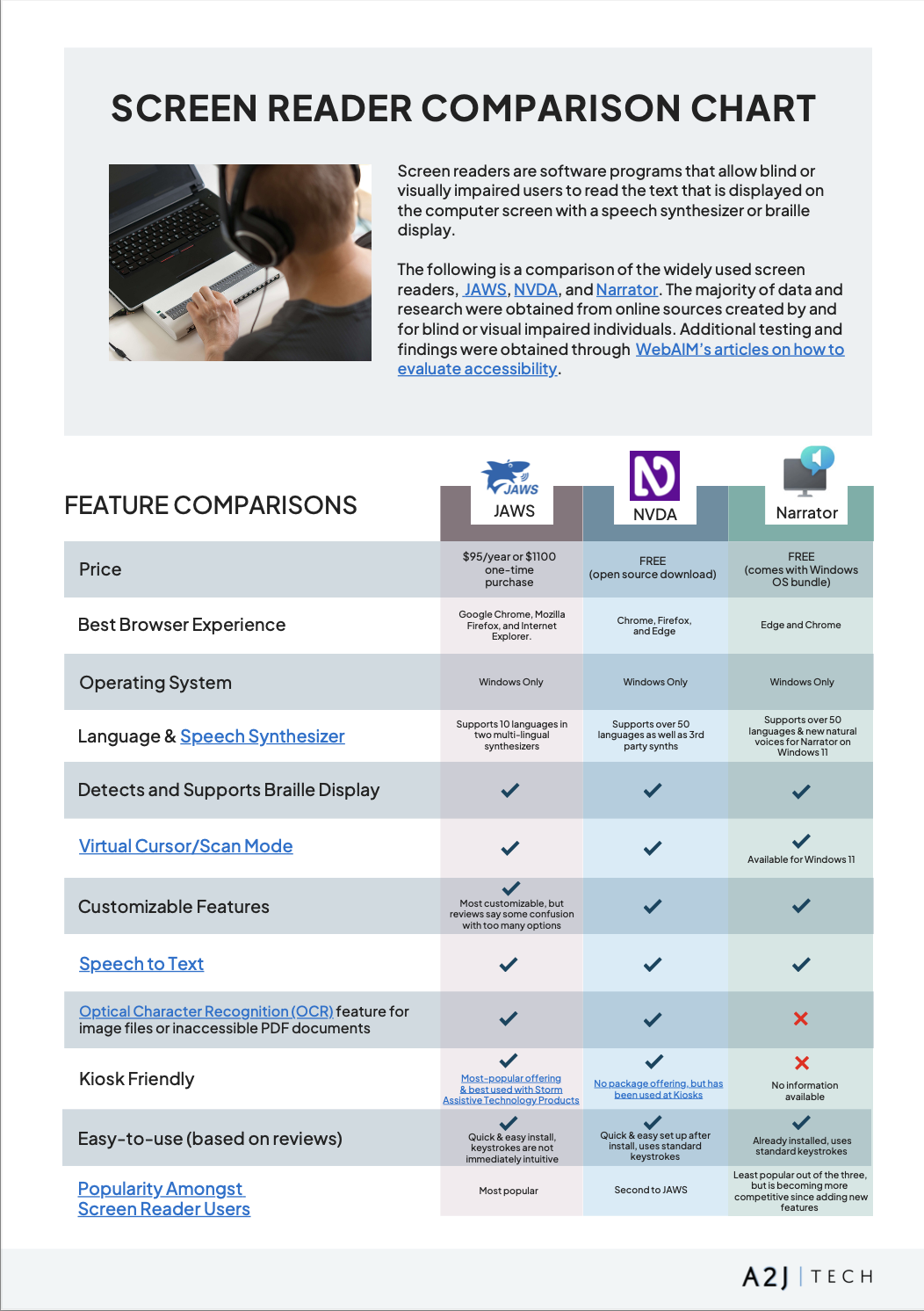
Beyond the technical aspects, the user base for these tools is also evolving. While traditionally used by individuals with blindness, screen readers are increasingly valuable for people with low vision, dyslexia, or other cognitive differences. NVDA remains exceptionally popular due to its free and open-source nature, with estimates suggesting over 100,000 active users globally. JAWS, being a commercial product, has a smaller but dedicated user base, particularly within enterprise settings. VoiceOver benefits from being pre-installed on all Apple devices, making it accessible to a vast audience, though precise usage numbers are harder to come by.
The complexity of modern web applications – single-page applications built with JavaScript frameworks like React, Angular, and Vue – presents a significant challenge for screen readers. These applications often don’t adhere to traditional HTML semantics, making it difficult for screen readers to accurately interpret the content and controls. Developers are working to improve accessibility, but it remains a persistent issue. This pushes screen reader developers to become more adaptable and inventive in how they interpret and present dynamic content.
Another trend is the growing demand for cross-platform compatibility. Users aren’t limited to a single device or operating system. They expect a consistent experience whether they’re using a Windows PC, a Mac, an iPhone, or an Android tablet. This requires screen reader developers to invest in cross-platform development and ensure their software works seamlessly across different environments.
NVDA 2026 updates
NVDA has consistently delivered impressive updates, and the 2026 version is no exception. A major focus has been on improving the speech synthesizer, with enhanced support for SSML (Speech Synthesis Markup Language) allowing for more natural-sounding speech and finer control over pronunciation. Users report a noticeable improvement in the clarity and expressiveness of the synthesized voice. This is particularly important for long-form content like books and articles.
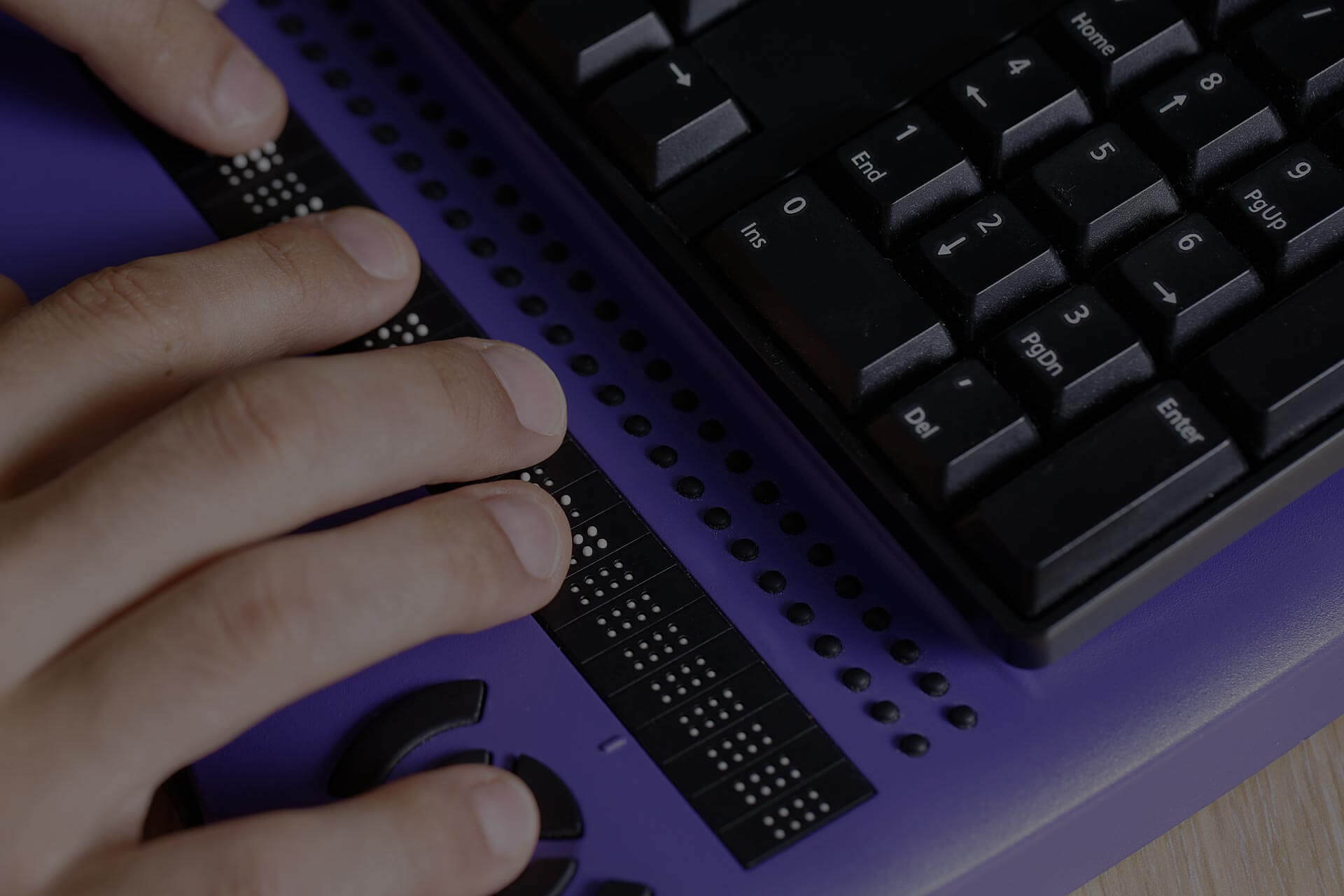
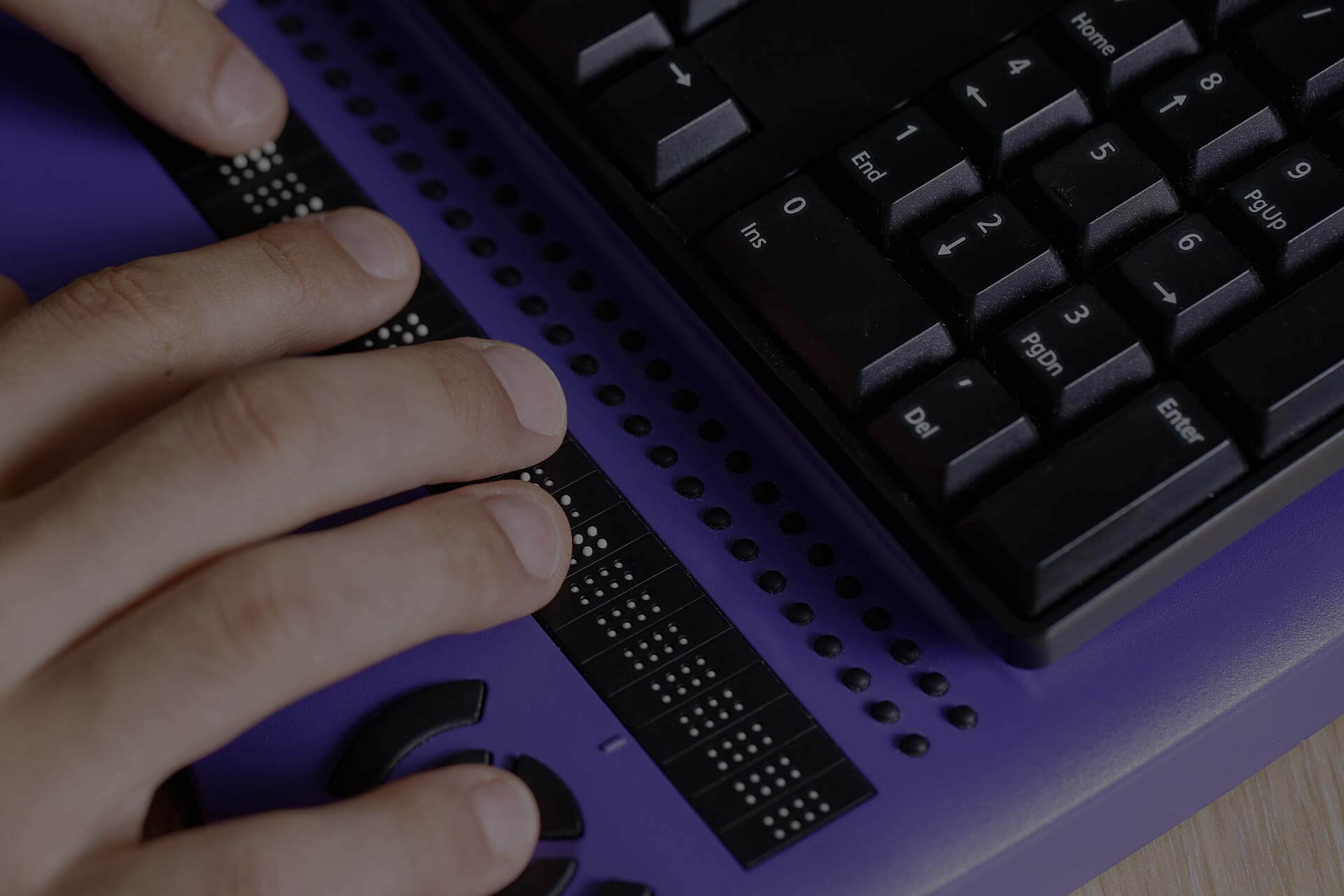
Braille display support has also received significant attention. The latest version introduces improved braille input and output, as well as better compatibility with a wider range of braille displays. The developers have worked closely with braille display manufacturers to address compatibility issues and ensure a smooth user experience. Specifically, NVDA 2026 offers enhanced support for contracted braille, making it easier and faster to read braille content.
Browser compatibility is always a priority, and NVDA 2026 brings improved support for the latest versions of Chrome, Firefox, and Edge. The developers have addressed several bugs and performance issues that were reported in previous versions. They’ve also added support for new web technologies, such as Web Components, ensuring that NVDA can accurately interpret and present content created using these technologies. The community has been particularly vocal about improvements to handling of dynamically updated content in single-page applications.
The community’s reaction to NVDA 2026 has been overwhelmingly positive. Users are praising the improved speech synthesizer, the enhanced braille support, and the better browser compatibility. However, some users have reported minor bugs and performance issues, particularly with certain complex web applications. The NVDA developers are actively addressing these issues through regular updates and bug fixes. A common request is for more robust support for ARIA roles, and the team is investigating ways to improve that.
One feature that’s generated a lot of discussion is the experimental 'Smart Zoom' functionality. It attempts to intelligently zoom into specific areas of the screen based on context, but it’s still early days and requires further refinement. Users with low vision have found it promising, but some report it can be disorienting. It’s currently disabled by default and requires manual enabling in the settings.
- Natural speech through better SSML support
- Enhanced braille display support, including contracted braille
- Better browser compatibility with Chrome, Firefox, and Edge
- Smart zoom for low vision (experimental)
JAWS in the enterprise
JAWS remains the dominant commercial screen reader, particularly within larger organizations and government agencies. Recent updates have focused on refining its scripting capabilities and improving integration with enterprise software applications. JAWS Scripting is a powerful tool that allows developers to customize the behavior of JAWS and adapt it to specific applications. It’s a complex system, but it offers a level of control that’s unmatched by other screen readers.
The latest version of JAWS includes improved support for Microsoft Office applications, including Word, Excel, and PowerPoint. The developers have worked closely with Microsoft to ensure that JAWS is fully compatible with the latest Office features. Specifically, they’ve focused on improving the accessibility of complex documents and spreadsheets. JAWS also excels in its support for PDF accessibility, allowing users to navigate and interact with PDF documents more easily.
JAWS is the expensive choice. While NVDA is free, a basic JAWS home license is about $90, and professional versions run much higher. I think the cost is only worth it if you work in a corporate environment that relies on legacy scripts or specific terminal emulators that NVDA struggles to handle.
One area where JAWS has been making strides is in its integration with cloud-based applications. The developers have added support for several popular cloud platforms, such as Salesforce and Microsoft 365. This allows users to access and interact with cloud-based applications more easily. However, some users have reported compatibility issues with certain cloud applications, particularly those that rely heavily on JavaScript.
API changes are less publicly documented with JAWS than with NVDA, making it harder to assess the depth of the underlying changes. However, the focus on scripting suggests a continued commitment to allowing power users and developers to tailor the experience to their specific needs.
VoiceOver: Apple’s Accessibility Powerhouse
VoiceOver’s strength lies in its deep integration with the Apple ecosystem. It’s pre-installed on all macOS, iOS, and iPadOS devices, making it readily available to millions of users. Recent updates have focused on improving VoiceOver’s interaction with SwiftUI apps, Apple’s declarative UI framework. SwiftUI apps are generally more accessible than those built using older technologies, and VoiceOver is taking full advantage of this.
Apple has also introduced new accessibility features in Ventura, Sonoma, iOS 17, and iPadOS 17. These include improved VoiceOver navigation, enhanced voice commands, and better support for braille displays. Specifically, Apple has added support for more braille languages and improved the accuracy of braille translation. They’ve also made it easier to customize VoiceOver’s settings and adjust the speech rate and pitch.
Compared to NVDA and JAWS, VoiceOver is often praised for its ease of use and intuitive interface. It’s particularly well-suited for users who are new to screen readers. However, it can be less flexible than NVDA or JAWS in terms of customization options. VoiceOver is primarily designed for use within the Apple ecosystem, and its compatibility with Windows or Android applications is limited. It’s a fantastic option if you’re fully invested in Apple’s world, but less ideal if you need to use a variety of operating systems.
One notable addition is Live Speech, which allows users to type and have their text spoken aloud in real-time. This is particularly helpful for individuals who have difficulty speaking or who need to communicate with people who don’t understand their native language. It’s a clever use of Apple’s on-device machine learning capabilities.
The reality of AI integration
Artificial intelligence is being touted as the next big thing in assistive technology, and screen readers are no exception. We’re starting to see AI being used for automatic image description, intelligent content summarization, and predictive text. The goal is to make screen readers more efficient and effective, particularly when dealing with complex or poorly structured web content. However, it’s important to approach these developments with a healthy dose of skepticism.
NVDA has been experimenting with AI-powered image description using services like Microsoft Azure Cognitive Services. The results are promising, but the accuracy of the descriptions can vary significantly depending on the complexity of the image. JAWS is exploring similar technologies, focusing on using AI to identify and label interactive elements on web pages. VoiceOver is leveraging Apple’s on-device machine learning capabilities to improve its voice commands and predictive text features.
The potential benefits of AI integration are clear: more accurate and informative screen reader output, reduced cognitive load for users, and improved access to visual content. However, there are also potential drawbacks. The accuracy of AI-generated descriptions can be questionable, and there are privacy concerns associated with sending data to cloud-based AI services. The cost of using these services can also be a factor.
AI isn't a shortcut for bad code. Even the best image recognition fails on complex charts. You still have to write semantic HTML and follow WCAG if you want your site to actually work for a screen reader user.
Beyond the Big Three: Emerging Alternatives
While NVDA, JAWS, and VoiceOver dominate the screen reader market, there are other options available. Orca is a free and open-source screen reader that’s popular among Linux users. It’s a capable screen reader, but it’s not as polished or feature-rich as NVDA or JAWS. It’s actively developed and benefits from a strong community of contributors.
ChromeVox is a built-in screen reader for the Chrome browser. It’s a simple and lightweight option that’s ideal for users who primarily browse the web using Chrome. However, it lacks the advanced features and customization options of NVDA, JAWS, or VoiceOver. It’s also limited to the Chrome browser.
These alternatives may be viable options for users who have specific needs or preferences. For example, Orca is a good choice for Linux users who want a free and open-source screen reader. ChromeVox is a convenient option for Chrome users who need a basic screen reader. However, for most users, NVDA, JAWS, or VoiceOver will provide the best overall experience.
Next-Generation Screen Reader Comparison – Handling Common Web Accessibility Issues (2026)
| Issue | NVDA | JAWS | VoiceOver |
|---|---|---|---|
| Dynamic Content Updates | Good | Excellent | Good |
| Complex Tables | Fair | Good | Fair |
| ARIA Misuse Detection | Good | Excellent | Fair |
| CAPTCHA Accessibility | Fair | Fair | Poor |
| MathML Support | Poor | Good | Good |
| Live Regions | Good | Excellent | Good |
| Forms and Input Fields | Excellent | Excellent | Excellent |
Illustrative comparison based on the article research brief. Verify current pricing, limits, and product details in the official docs before relying on it.
Choosing the Right Screen Reader
Selecting the right screen reader depends on your individual needs and circumstances. Cost is a major factor. NVDA is free, making it an excellent choice for users on a tight budget. JAWS is the most expensive option, but it offers a level of customization and support that’s unmatched by other screen readers. VoiceOver is free if you already own an Apple device.
Your operating system is another important consideration. NVDA is designed for Windows, while VoiceOver is designed for macOS and iOS. JAWS is available for both Windows and macOS, but the macOS version is less feature-rich. Your technical skills will also play a role. NVDA and Orca require some technical knowledge to configure and customize, while VoiceOver is generally easier to use.
If you’re new to screen readers, I recommend starting with NVDA or VoiceOver. Both are relatively easy to learn and use, and they offer a wide range of features. If you need advanced customization options or require support for specialized software, JAWS may be a better choice. Ultimately, the best way to choose a screen reader is to try out a few different options and see which one works best for you.
No comments yet. Be the first to share your thoughts!