

Gaming Reimagined: One-Handed Control
For many gamers, the ability to comfortably and effectively control their games is a given. But for those with disabilities, traditional gaming setups can present significant barriers. This is where adaptive gaming devices, specifically one-handed gaming keyboards, come into play. These aren’t just modified peripherals; they’re pathways to inclusion, offering a way to experience the joy of gaming without physical limitations.
The challenges are real. Limited mobility, muscle weakness, or the absence of a limb can make using a standard keyboard and mouse incredibly difficult. One-handed keyboards address these issues by consolidating essential controls into a smaller, more accessible format. They allow players to execute complex commands with a single hand, opening up a world of gaming possibilities.
Adaptive gaming is evolving quickly. Manufacturers are listening to the community, incorporating feedback, and improving their products. We're seeing more customization options, better ergonomics, and a growing awareness of the diverse needs of disabled gamers. This list explores the top 10 one-handed gaming keyboards available, offering solutions for different playstyles and budgets.
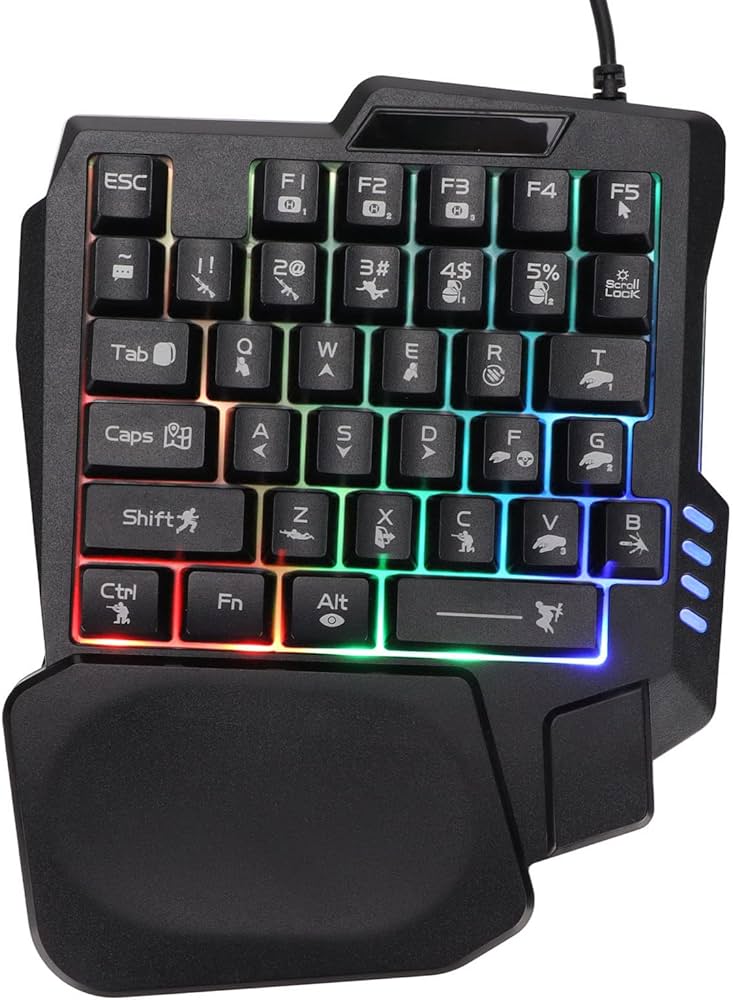
The Top 10 Keyboards of 2026
Choosing the right one-handed keyboard is personal. What works for one gamer might not work for another. This list presents a diverse selection of options, each with its own strengths and weaknesses. The focus is on keyboards that offer functionality, comfort, and value.
1. Razer Tartarus V2: This gaming keypad is a long-standing favorite, known for its 32 fully programmable keys and comfortable, ergonomic design. It's best for MMO and MOBA players who need quick access to a large number of commands. The tactile feel of the keys is satisfying, and the adjustable palm rest adds to the comfort. Price range: $80-$100.
2. Corsair K63 Wireless Gaming Lapboard: Offering a more traditional keyboard layout in a compact form factor, the K63 is a good choice for players who prefer a familiar feel. Its wireless connectivity offers freedom of movement, and the built-in trackpad is a handy addition. However, it's less customizable than some other options. Price range: $100-$130.
3. Logitech G13 Advanced Gameboard (Discontinued but Still Popular): While officially discontinued, the G13 remains a popular choice on the used market. Its mini-joystick is a unique feature that can be used for analog input, and the programmable keys are well-placed for one-handed operation. Finding one in good condition might require some effort. Price range: $50-$80 (used).
4. Azeron Cyborg Compact Gaming Keypad: The Azeron stands out with its fully customizable keywells and adjustable thumb positions. It’s incredibly ergonomic, allowing users to tailor the fit to their hand perfectly. It's a premium option, but the level of customization is unmatched. Price range: $180-$250.
5. GameSir VX AimSwitch Keyboard and Mouse Combo: This is a more budget-friendly option that combines a compact keyboard with a mouse. It's a good starting point for gamers who are new to one-handed setups. The build quality isn't as high as some of the more expensive options, but it offers good value for the price. Price range: $60-$80.
6. Hori Tactical Assault Commander Pro (TAC Pro): Designed with fighting games in mind, the TAC Pro features a unique layout with a focus on precise inputs. It’s a favorite among fighting game communities, but can also be used for other genres. It feels different than most keyboards, and takes some getting used to. Price range: $120-$150.
7. Kinesis Gaming Freestyle Edge RGB (Split Design): The Freestyle Edge's split design allows for a more natural hand position, reducing strain and fatigue. It's highly customizable, with programmable keys and adjustable tenting. This is a good choice for gamers who prioritize ergonomics. Price range: $150-$200.
8. Wooting One Analog Gaming Keyboard (Compact TKL): While not strictly a one-handed keyboard, the Wooting One’s compact TKL form factor and analog switches offer incredible control. The analog switches allow for precise movement and aiming, and the keyboard is highly customizable. It requires a bit of a learning curve. Price range: $200-$250.
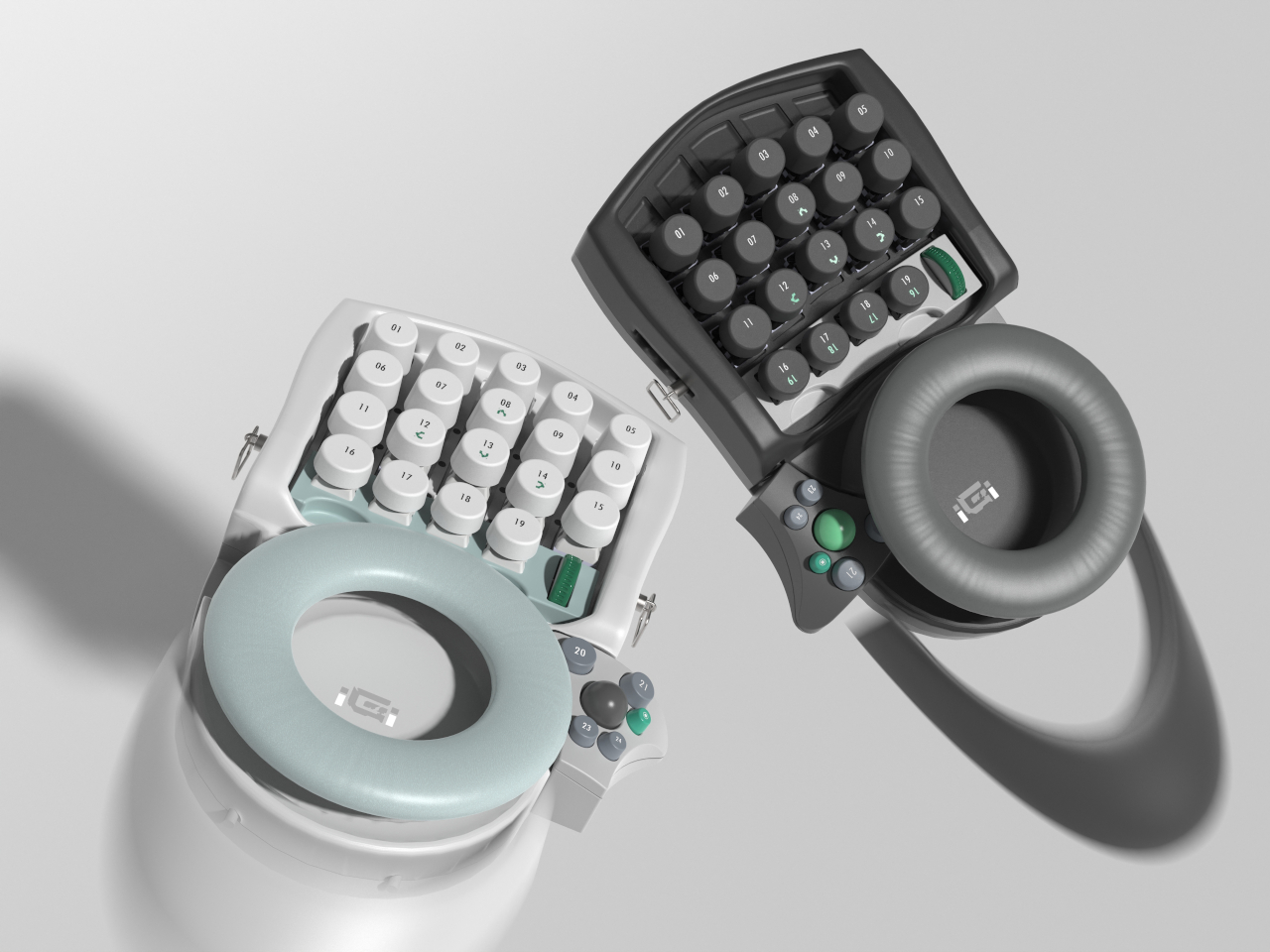
9. XArmor U-1000: A lesser known option, the XArmor U-1000 offers a unique circular key layout. It’s designed for maximum efficiency and comfort, but it takes some time to adapt to the unconventional layout. It’s a niche product, but worth considering for those looking for something different. Price range: $130-$160.
10. Elevate Gaming One-Handed Keyboard: Specifically designed for gamers with limited mobility, the Elevate offers a simple and intuitive layout. It’s easy to set up and use, and it’s a good option for those who are new to one-handed gaming. It’s not as feature-rich as some other options, but it gets the job done. Price range: $70-$90.
Featured Products

Mecha-Membrane key switches for a tactile and cushioned feel · 32 programmable keys for extensive command customization · Customizable Chroma RGB lighting for personalized aesthetics
The Razer Tartarus V2 offers a versatile and customizable experience with its programmable keys and comfortable design, making it an excellent choice for adaptive gaming.

Hall Effect joystick for precise analog input · 30 programmable keys for comprehensive control mapping · 3D printed ergonomic design for comfort during extended play
The AZERON Gaming Keypad provides advanced control with its Hall Effect joystick and highly programmable keys, catering to gamers seeking a precise and personalized one-handed input solution.

Hybrid mechanical key switch for responsive and tactile feedback · Adjustable analog stick for nuanced movement control · Officially licensed by Square Enix for Final Fantasy XIV
The HORI Tactical Assault Commander F14 combines a mechanical keyboard with an analog stick, offering a unique control scheme ideal for games like Final Fantasy XIV and providing enhanced accessibility.

Tenting mechanism to adjust keyboard angle for ergonomic comfort · Includes palm supports for added wrist cushioning · Designed to enhance the ergonomics of the Kinesis Freestyle Edge keyboard
The KINESIS Lift Kit significantly improves ergonomic comfort by allowing users to tent their keyboard and utilize palm supports, reducing strain during long gaming sessions.
As an Amazon Associate I earn from qualifying purchases. Prices may vary.
Ergonomics & Customization: Beyond the Basics
Ergonomics matter for one-handed gaming keyboards. A poorly designed keyboard can lead to pain, fatigue, and even long-term injuries. Look for keyboards with adjustable features like key angle, height, and palm rests. These adjustments let you fine-tune the keyboard to fit your hand size and posture.
The keyboard's construction materials also matter. Keyboards with soft-touch surfaces and cushioned palm rests can improve comfort. Consider the key switch type – some switches are more tactile and responsive than others. It's about finding what feels right for you.
Ergonomics are only half the battle. Customization is equally important. Remapping keys, creating macros, and saving custom profiles lets you optimize the keyboard for your favorite games and playstyle. Software that makes this process intuitive and user-friendly is a big plus. 'One size fits all' doesn't apply here. Every gamer has unique needs and preferences.
Software & Compatibility: What Works With What?
Compatibility is important. Most one-handed gaming keyboards work with Windows, but support for macOS and Linux can vary. Check the manufacturer's website to confirm compatibility with your operating system before buying. Some keyboards need proprietary software for customization, while others work natively with your OS.
Compatibility with gaming platforms is another important factor. Most keyboards work with PCs, but connecting them to consoles requires adapters. Popular options include the XIM Apex and the Brook Wingman FNS, but compatibility can vary depending on the keyboard and adapter. Research specific combinations for the best results.
Many keyboards integrate with platforms like Steam, letting you create custom profiles and bind keys to specific games. The level of integration varies, so check the manufacturer’s documentation. Generally, keyboards that use HID (Human Interface Device) protocols offer the broadest compatibility.
One-Handed Gaming Keyboard Compatibility - 2026
| Keyboard Name | Windows | macOS | Linux | Steam | PlayStation (via adapter) | Xbox (via adapter) |
|---|---|---|---|---|---|---|
| Razer Tartarus V2 | Full Support | Limited Support | Limited Support | Full Support | Limited Support | Limited Support |
| Corsair K63 Wireless Gaming Lapboard | Full Support | Full Support | Limited Support | Full Support | No Support | No Support |
| Logitech G13 Advanced Gameboard | Full Support | Limited Support | Limited Support | Full Support | Limited Support | Limited Support |
| Azeron Cyborg Compact Gaming Keypad | Full Support | Full Support | Full Support | Full Support | Full Support | Full Support |
| GameSir VX AimSwitch Keyboard and Mouse Combo | Full Support | No Support | No Support | Limited Support | No Support | No Support |
| Hori Tactical Assault Commander Pro (TAC Pro) | Limited Support | No Support | No Support | Limited Support | Full Support | Full Support |
| Kinesis Gaming Freestyle Edge RGB | Full Support | Full Support | Full Support | Full Support | Limited Support | Limited Support |
| Wooting One Analog Gaming Keyboard | Full Support | Limited Support | Limited Support | Full Support | Limited Support | Limited Support |
Illustrative comparison based on the article research brief. Verify current pricing, limits, and product details in the official docs before relying on it.
Standout Innovations: Keyboards to Watch
While all the keyboards on the list offer unique benefits, a few stand out for their innovative features. The Azeron Cyborg leads in customization. Its modular design allows a truly personalized fit, and the ability to adjust thumb positions is a game-changer for players with specific ergonomic needs. It’s a significant investment, but the comfort and control it offers are exceptional.
The Wooting One deserves attention for its analog switches. These switches allow incredibly precise movement and aiming, offering control that’s simply not possible with traditional digital switches. This is particularly beneficial in games that require fine motor skills, like first-person shooters. The learning curve is steeper, but the rewards are substantial.
The Elevate Gaming keyboard, while simpler in design, is noteworthy for its focus on accessibility. It’s designed for gamers with limited mobility, and its intuitive layout makes it easy to learn and use. It’s a great option for those new to one-handed gaming or who have significant physical limitations.
Adapters & Accessories: Expanding Your Options
Adapters can expand the versatility of your one-handed keyboard. As mentioned, the XIM Apex and Brook Wingman FNS are popular choices for connecting keyboards to consoles. These adapters let you use your keyboard on PlayStation, Xbox, and Nintendo Switch.
Accessories like wrist rests and keycap sets can further enhance your comfort and customization options. A good wrist rest can help reduce strain and fatigue, while custom keycaps allow you to personalize the look and feel of your keyboard. Look for keycaps made from durable materials like PBT plastic.
Carrying cases are also a valuable accessory, especially if you travel frequently. A good case will protect your keyboard from damage during transport. I'd recommend avoiding overly niche accessories unless you have a very specific need.
Community Voices: Real-World Experiences
Hearing directly from gamers who use these keyboards provides invaluable insight. On the r/AdaptiveGaming subreddit, user 'SkyboundGamer' shared their experience with the Razer Tartarus V2: 'I have limited mobility in my right hand, and the Tartarus V2 allows me to play games that I thought were impossible.'
Another gamer, 'OneHandedWarrior' on a gaming forum, praised the Azeron Cyborg: 'The Azeron is expensive, but it's worth every penny. The level of customization is incredible, and it's the most comfortable keyboard I've ever used.' These anecdotes highlight the transformative impact these devices can have.
These experiences demonstrate that one-handed keyboards aren't just about accessibility; they're about empowerment. They allow gamers with disabilities to compete on a level playing field and enjoy the same gaming experiences as everyone else. The ability to truly tailor a keyboard to individual needs is the key takeaway.
Future Trends: What’s Next for Adaptive Gaming?
The future of adaptive gaming is incredibly promising. Advancements in haptic feedback technology could provide more immersive and intuitive gaming experiences. Imagine a keyboard that simulates the feel of different textures or provides subtle vibrations to indicate in-game events.
Brain-computer interfaces (BCIs) are also showing potential, although they are still in the early stages of development. BCIs could allow gamers to control games using their thoughts, offering a completely hands-free gaming experience. AI-powered customization is another exciting area of development, with the potential to automatically adjust keyboard settings based on a user’s individual needs and playstyle.
These technologies are still years away from becoming mainstream, but they represent a glimpse into the future of adaptive gaming. The focus will continue to be on creating more inclusive and accessible gaming experiences for everyone.

No comments yet. Be the first to share your thoughts!