

WCAG 3.0: A New Foundation
WCAG 3.0 is currently a Working Draft as of March 2026. It moves away from the old checklist model to focus on actual outcomes for users.
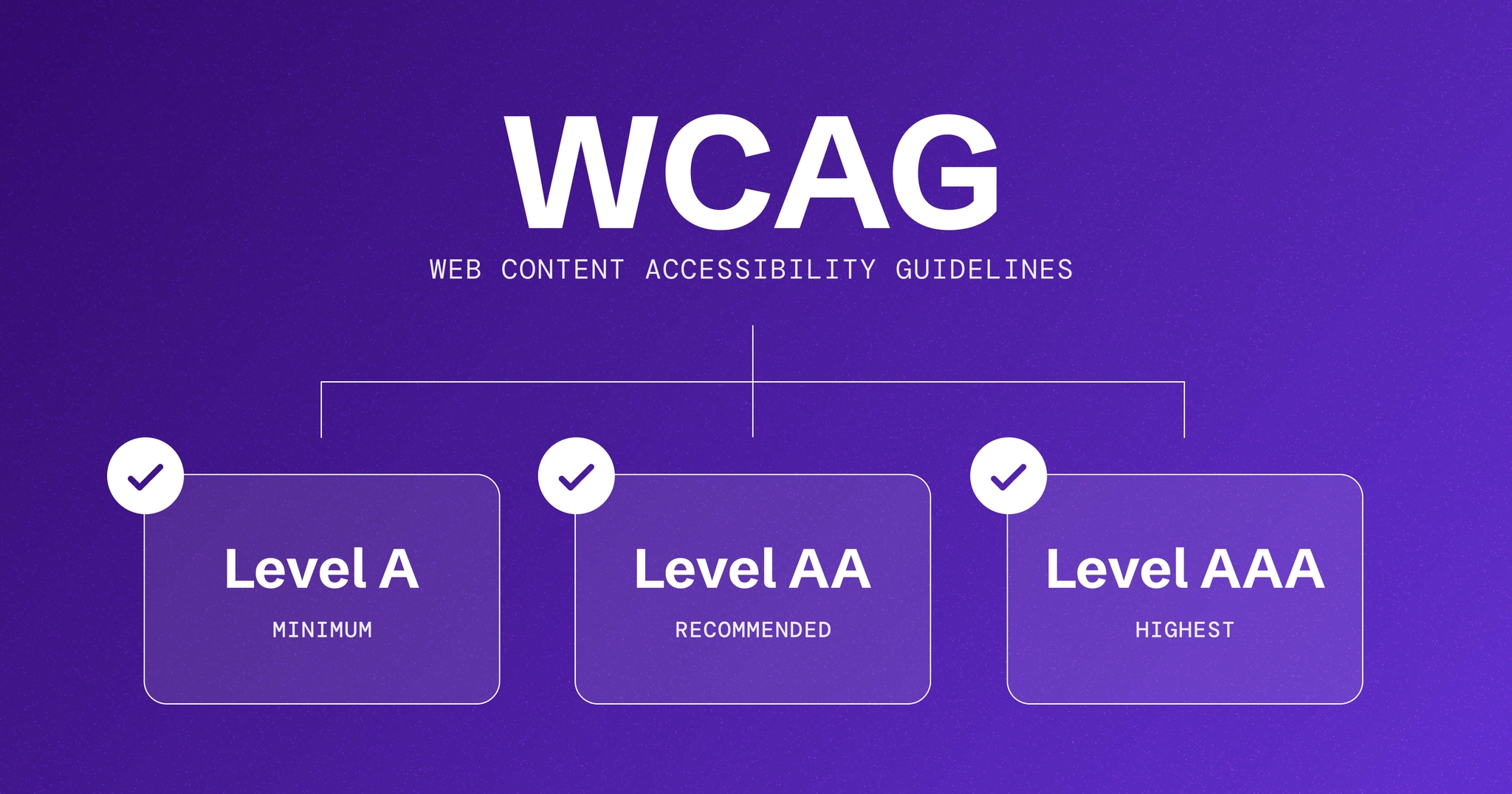
Historically, WCAG conformance was determined by achieving levels A, AA, or AAA, each representing increasing degrees of accessibility. WCAG 3.0 introduces 'Accessibility Conformance Levels' (ACLs) – Minimal, Basic, Enhanced, and Advanced – that are designed to be more adaptable to diverse user needs and technological contexts. This change acknowledges that a one-size-fits-all approach rarely works when dealing with the varied experiences of people with disabilities.
WCAG 3.0 doesn't replace the 2.x standards. The older guidelines are still valid, and there is no immediate requirement to switch your compliance strategy.
The move to ACLs reflects a growing recognition that accessibility isn’t about ticking boxes, but about ensuring a genuinely inclusive user experience. It’s about focusing on what users can do with a website or application, rather than simply adhering to a prescribed set of technical specifications. This shift will likely require a change in mindset for many developers and designers.
Accessibility conformance levels
The four Accessibility Conformance Levels (ACLs) in WCAG 3.0 – Minimal, Basic, Enhanced, and Advanced – represent a spectrum of accessibility, each targeting different user needs and levels of support. These aren’t simply rebranded versions of the A, AA, AAA levels; they’re designed to be more granular and reflective of real-world user experiences.
Minimal aims to provide a baseline level of accessibility, ensuring that core functionality is available to a wide range of users. Basic builds upon this, addressing more common accessibility barriers and aiming for a more usable experience for people with disabilities. Enhanced focuses on improving accessibility for users with more complex needs, providing a richer and more adaptable experience.
Finally, Advanced represents the highest level of accessibility, striving to provide a fully inclusive experience that caters to the widest possible range of users and assistive technologies. It’s important to note that achieving Advanced conformance is a significant undertaking and may not be feasible or necessary for all websites and applications.
The key difference between ACLs and the previous system lies in their flexibility. The older system often led to organizations aiming for AA conformance as a default, without necessarily considering the specific needs of their users. ACLs encourage a more nuanced approach, allowing organizations to tailor their accessibility efforts to their specific context and audience.
- Minimal: Core functionality accessible to a wide range of users.
- Basic: Addresses common accessibility barriers for a usable experience.
- Enhanced: Improves accessibility for users with complex needs and assistive technologies.
- Advanced: Fully inclusive experience catering to the widest range of users.
WCAG 3.0 Accessibility Conformance Levels (ACLs) - Projected 2026
| ACL Level | Target User Group | Key Accessibility Outcomes | Example Implementation Effort |
|---|---|---|---|
| Minimal | Users with basic assistive technology needs (e.g., keyboard-only navigation) | Content is perceivable and operable using fundamental assistive technologies. Focus on basic text alternatives and keyboard accessibility. | Low - Primarily focuses on foundational HTML structure and semantic elements. |
| Basic | Wider range of users, including those relying on screen readers and speech recognition. | Builds upon Minimal, adding requirements for more robust text alternatives, adaptable content, and clear focus management. Addresses common barriers for many disabilities. | Moderate - Requires more detailed testing and potentially some ARIA implementation. |
| Enhanced | Users with diverse and complex disabilities, including cognitive and learning differences. | Focuses on providing a highly adaptable and customizable experience. Includes requirements for content clarity, simplified language options, and reduced distractions. | Significant - Requires substantial content review, design adjustments, and potentially dynamic content adaptation. |
| Advanced | Users with the most complex needs, or those in challenging environments. | Aims for a universally accessible experience, accommodating a wide range of assistive technologies and user preferences. Includes advanced features like personalized presentation and multimodal interaction. | Very High - Requires comprehensive accessibility expertise, ongoing monitoring, and potentially custom development. |
| Minimal | Mobile Users with limited data plans | Content is perceivable and operable with reduced bandwidth and screen sizes. Focus on efficient code and optimized images. | Low - Optimizing images and streamlining code. |
| Basic | Users with low vision | Content is perceivable and operable with magnification and color contrast adjustments. Focus on providing sufficient color contrast and adaptable text sizes. | Moderate - Implementing color contrast checks and responsive design. |
| Enhanced | Users with cognitive disabilities | Content is perceivable and operable with simplified language and clear navigation. Focus on providing clear instructions and consistent layout. | Significant - Rewriting content and redesigning navigation. |
Illustrative comparison based on the article research brief. Verify current pricing, limits, and product details in the official docs before relying on it.
The ways to meet structure
One of the most significant changes in WCAG 3.0 is the introduction of the "Ways to Meet’ structure. This acknowledges that there isn’t always a single ‘right" way to achieve an accessibility outcome. Instead, a single outcome can be met through multiple technical approaches, offering developers greater flexibility and innovation.
For example, the outcome of providing access to video content can be met through several "Ways to Meet’. These include providing accurate, automatically generated captions, utilizing human-reviewed captions for greater accuracy, offering a full transcript of the video"s audio, or providing an audio description for visually impaired users. The choice depends on factors like budget, resources, and the complexity of the video content.
This contrasts with the previous approach, where specific techniques were often prescribed to meet a particular success criterion. The "Ways to Meet" structure encourages developers to consider the context of their project and choose the most appropriate solution. It also allows for innovation, as new techniques emerge and assistive technologies evolve.
The W3C documentation emphasizes that this structure isn’t about lowering standards, but about providing clarity and flexibility. It’s about ensuring that developers understand the outcome they’re trying to achieve, rather than being overly focused on specific implementation details. This is a positive step toward more adaptable and user-centered accessibility.
Key Changes to Success Criteria
WCAG 3.0 introduces several changes to existing success criteria and adds new ones, reflecting advancements in technology and a better understanding of accessibility needs. Updates to contrast requirements are notable; the guidelines are becoming more precise about acceptable contrast ratios, taking into account factors like font weight and size. This will likely require developers to pay closer attention to color choices and typography.
A significant area of focus in WCAG 3.0 is cognitive accessibility. New success criteria address the needs of users with cognitive disabilities, such as dyslexia, autism, and memory impairments. These criteria focus on things like simplifying content, providing clear instructions, and minimizing distractions. This is a welcome addition, as cognitive accessibility has historically been underrepresented in web accessibility standards.
Mobile accessibility also receives significant attention. New and revised success criteria specifically address the challenges of designing accessible mobile experiences. These include considerations for smaller screen sizes, touch interactions, and the use of mobile-specific features. The guidelines acknowledge that mobile accessibility requires a different approach than traditional desktop web accessibility.
The reasoning behind these changes is rooted in ongoing research and feedback from the accessibility community. The W3C has actively sought input from people with disabilities and accessibility experts to ensure that the new guidelines are practical, effective, and relevant to real-world needs. The goal is to create a web that is truly accessible to everyone, regardless of their abilities.
- Contrast requirements now account for font weight and size.
- New success criteria focused on cognitive accessibility (dyslexia, autism, etc.).
- Revised criteria addressing mobile accessibility challenges (small screens, touch interactions).
- Increased emphasis on adaptable and customizable user experiences.
Focus on Customization and Personalization
WCAG 3.0 places a greater emphasis on allowing users to customize their experience to meet their individual needs. This recognizes that accessibility isn’t a one-size-fits-all proposition and that people with disabilities often require different levels of support. The guidelines encourage developers to build websites and applications that are adaptable and allow users to tailor the interface to their preferences.
This shift towards personalization has significant implications for web developers. It means designing with flexibility in mind, using semantic HTML, and providing APIs that allow users to access and modify content. It also means considering the role of user agents – browsers, screen readers, and other assistive technologies – in supporting customization.
I’m particularly interested in the potential for user-specific accessibility profiles. Imagine a scenario where a user can create a profile that specifies their preferred font size, color scheme, and level of animation. The website would then automatically adapt to their preferences, providing a personalized and accessible experience. This is a powerful vision for the future of web accessibility.
Achieving this level of personalization will require collaboration between developers, designers, and assistive technology vendors. It will also require a commitment to open standards and interoperability, ensuring that different tools and technologies can work together seamlessly.
Preparing for WCAG 3.0: A Timeline
While WCAG 3.0 is still in draft form, it’s important for organizations to start preparing now. A realistic timeline for adoption will likely involve a gradual transition, with organizations initially focusing on understanding the new guidelines and assessing their current level of conformance. The W3C has not yet set a firm date for final publication but late 2026 is anticipated.
The first step is to conduct a thorough audit of existing websites and applications, identifying areas that may not meet the new requirements. This audit should involve both automated testing and manual review by accessibility experts. It’s also important to gather feedback from users with disabilities to understand their needs and pain points.
Retrofitting accessibility into legacy systems can be challenging, but it’s not impossible. A phased approach is often the most effective, prioritizing the most critical areas and gradually addressing the remaining issues. It may be necessary to invest in new tools and training to support the transition.
It’s important to be honest about the effort involved. Achieving full WCAG 3.0 conformance will require a significant investment of time and resources. However, the benefits – a more inclusive user experience, reduced legal risk, and a broader reach – far outweigh the costs.
- Understand the new guidelines and assess current conformance.
- Conduct a thorough accessibility audit of websites and applications.
- Prioritize remediation efforts based on impact and feasibility.
- Invest in training and tools to support the transition.


No comments yet. Be the first to share your thoughts!