

Seeing with sound
I remember speaking with Maria, a graphic designer who lost her sight unexpectedly. Before AI-powered screen readers, she felt her career, her passion, slipping away. Now, using a combination of advanced voice recognition and contextual AI, she’s not just able to access design software, but to understand the nuances of her work again. That’s the power of what’s happening now.
For decades, screen readers have been essential tools for people with visual impairments, converting text to speech. But older systems often felt clunky and frustrating. They lacked the ability to understand the context of what was on the screen – a button versus a heading, for example – leading to a slow and disjointed experience. It was like reading a book with every other word missing.
Artificial intelligence is changing all of that. The newest generation of screen readers doesn’t simply read a screen; they interpret it. They use natural language processing to understand the relationships between elements, predict user intent, and provide a much more fluid and intuitive experience. This means less memorization of keyboard shortcuts and a more natural interaction with digital content.
The shift isn’t just about better speech synthesis. It's about understanding what is being presented. AI can now differentiate between a news article and a complex spreadsheet, adjusting its reading style accordingly. It can even handle images with descriptive alt-text, offering a richer understanding of visual information. We’re moving toward a time where digital accessibility truly means digital experience for everyone.
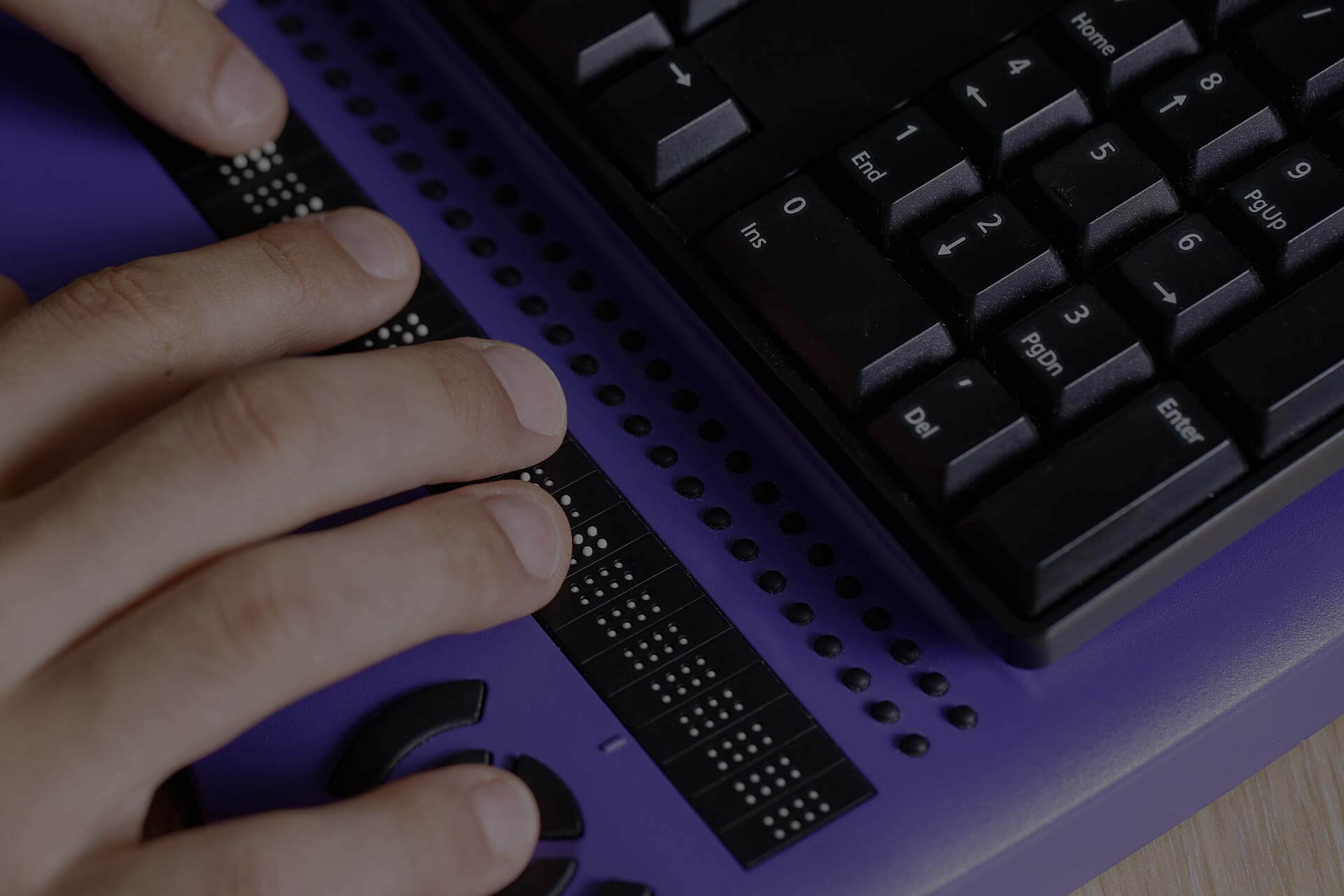
Six screen readers leading the way in 2026
The market for AI-powered screen readers is rapidly evolving. While established players are integrating AI, new contenders are emerging with innovative approaches. Here’s a look at six of the best options available in 2026, going beyond feature lists to discuss how they actually feel to use.
NVDA with AI Plugins: NVDA is still the best free option. In 2026, its strength is the community-made AI plugins that help with context detection. It is harder to set up than others, but it's the right choice if you want total control over how the software behaves.
JAWS with AI Integrations: JAWS, a commercial screen reader, has directly integrated AI features into its core functionality. It boasts excellent support for a wide range of applications and offers robust scripting capabilities. The AI integration improves its ability to handle complex web layouts and dynamically changing content. However, JAWS can be expensive, and some users find its interface somewhat dated.
Orca (Linux): Orca, the default screen reader for the GNOME desktop environment on Linux, has benefited from recent AI advancements. While historically less polished than commercial options, it's now a viable choice, especially for Linux users. Its strength is its integration with the broader open-source ecosystem and its customizability. It requires more technical knowledge than some other options.
VoiceOver (Apple): Apple’s built-in screen reader, VoiceOver, has made significant strides with AI. It now offers improved voice quality, more natural-sounding speech, and better integration with Apple’s ecosystem. VoiceOver’s simplicity and ease of use make it a great option for Apple users, although it’s less flexible than some other screen readers.
Aether Reader: Aether Reader is one of the emerging players. It focuses heavily on AI-powered context understanding and offers a unique 'semantic zoom' feature that allows users to quickly navigate complex documents by focusing on key concepts. It’s relatively new, but early reviews are positive, highlighting its intuitive interface and powerful AI capabilities. It's currently priced at $199 per year.
ClarityAI: ClarityAI is another newcomer taking a different approach. Instead of trying to replicate a traditional screen reader experience, it aims to provide a more intelligent, conversational interface. Users can ask questions about the content on the screen, and ClarityAI will respond with relevant information. It’s still in beta, but it shows enormous promise for users who prefer a more natural, interactive experience. They currently offer a free trial with a monthly subscription at $29.99.
- NVDA: Best if you are on a budget and don't mind a bit of setup.
- JAWS: Best for professional use and broad application support.
- Orca: Best for Linux users and open-source enthusiasts.
- VoiceOver: Best for Apple users and ease of use.
- Aether Reader: Best for intuitive navigation and semantic understanding.
- ClarityAI: Best for conversational interaction and a novel approach.
Essential Accessories for AI-Powered Screen Reader Users

Raised dots for Braille letters, numbers, and punctuation · Designed for beginners and teaching aid · Horizontal layout for learning
This Braille alphabet board offers essential tactile feedback, allowing users to physically engage with Braille characters, complementing the auditory output of screen readers.

Split, curved keyframe for natural hand and arm posture · Integrated wrist rest for comfort and support · Wireless connectivity via Bluetooth or USB receiver
The ergonomic design of this keyboard promotes comfortable and natural typing, reducing strain during extended use with screen reader software.

Advanced noise cancellation technology · Immersive Spatial Audio for a more engaging listening experience · Comfortable over-ear design with long battery life
These headphones provide superior noise cancellation for clear audio and immersive Spatial Audio, enhancing the auditory experience of AI-powered screen readers.

High-capacity 10,000mAh battery · PowerIQ technology for optimized charging speeds · Compact and portable design
This reliable power bank ensures that essential devices remain charged, providing continuous power for screen readers and other assistive technologies on the go.

Vertical ergonomic design to reduce wrist strain · Adjustable DPI settings (800/1200/1600) · Multi-device connectivity
The vertical ergonomic design of this mouse promotes a more natural hand position, reducing fatigue during navigation and interaction with screen reader interfaces.
As an Amazon Associate I earn from qualifying purchases. Prices may vary.
Voice recognition that understands intent
The voice recognition within modern AI screen readers goes far beyond the simple dictation of the past. It’s about understanding intent. For example, instead of having to say "click button submit,’ you can now simply say ‘submit" and the AI will intelligently identify and activate the appropriate button. This significantly speeds up navigation and reduces cognitive load.
These systems leverage advanced natural language processing (NLP) models to understand context and disambiguate commands. They can handle complex sentences, variations in speech patterns, and even background noise. The result is a more reliable and responsive voice control experience. The newest models are even starting to recognize emotional tone, adjusting their responses accordingly.
However, accuracy remains a challenge, particularly with different accents and speech impediments. While AI models are constantly improving, users may still need to train the system to recognize their unique voice patterns. Furthermore, privacy concerns surrounding voice data collection are legitimate and should be considered when choosing a screen reader.
We’ve seen improvements in handling form filling, too. Rather than painstakingly navigating fields, users can simply state the information they want to enter, and the AI will automatically populate the correct fields. This is a huge benefit for users who struggle with fine motor skills or have difficulty using a keyboard.
The accessibility gap in apps and web design
Even the most advanced screen reader is limited by the accessibility of the websites and apps it interacts with. Poorly designed websites with inadequate alt-text for images or a lack of proper heading structure can create significant barriers for users with visual impairments. The Web Content Accessibility Guidelines (WCAG) provide a set of internationally recognized standards for creating accessible web content.
Developers have a responsibility to adhere to these guidelines. This includes providing descriptive alt-text for all images, using semantic HTML to structure content, and ensuring that all interactive elements are keyboard accessible. Accessibility should be considered from the very beginning of the design process, not as an afterthought.
Fortunately, AI is starting to play a role in automating accessibility testing. Tools like Axe DevTools can automatically scan websites for common accessibility issues, helping developers identify and fix problems more efficiently. However, automated testing is not a substitute for manual review by users with disabilities.
Users also have a role to play. Reporting accessibility issues to website owners and advocating for better accessibility standards can help create a more inclusive digital world. Resources like the Web Accessibility Initiative (WAI) provide information and tools for both developers and users.
AI Screen Readers
- NVDA with eSpeak NG - NVDA remains a leading free and open-source screen reader. Integrating it with eSpeak NG provides a customizable, though synthetic, voice option that benefits from ongoing development and community support.
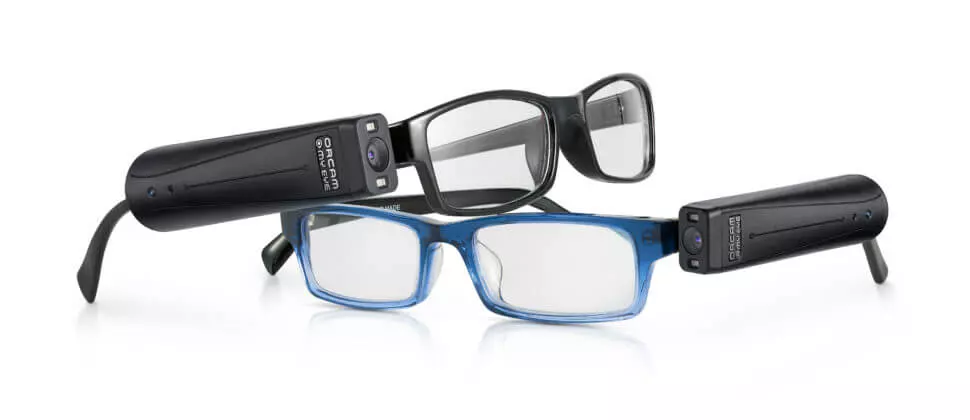
- JAWS with OrCam Read - Combining the robust functionality of JAWS with OrCam Read’s AI-powered text-to-speech capabilities allows for real-time reading of printed text and digital screens, offering flexibility beyond standard screen reader functions.
- VoiceOver (macOS) with Apple’s Neural TTS - Apple’s built-in VoiceOver screen reader leverages the company’s Neural Text-to-Speech technology for more natural-sounding voices and improved pronunciation, enhancing the user experience on Apple devices.
- ChromeVox with Google Cloud Text-to-Speech - ChromeVox, the built-in screen reader for Chrome OS, can be enhanced by utilizing Google Cloud Text-to-Speech for access to a wider range of more natural-sounding voices and languages.
- Narrator (Windows) with Microsoft Azure Cognitive Services - Microsoft Narrator can potentially integrate with Microsoft Azure Cognitive Services to improve voice quality and naturalness, though direct integration details are evolving.
- SuperNova with CereProc Voices - SuperNova Screen Reader offers compatibility with high-quality CereProc voices, known for their natural intonation and expressiveness, providing a more engaging auditory experience.
- Dolphin EasyReader with Ivona Voices (legacy) - While Ivona is now Amazon Polly, legacy systems using Dolphin EasyReader may still benefit from the previously integrated Ivona voices, known for their clarity. Note that ongoing voice support relies on Amazon Polly's continued functionality.
Smart home links and what's next
The real power of AI screen readers comes into play when they’re integrated with other assistive technologies. We’re seeing exciting integrations with smart home devices, allowing users to control their environment with voice commands. Imagine adjusting the thermostat, turning on the lights, or locking the doors simply by speaking.
Real-time translation services are another promising area. AI screen readers can now translate foreign languages on the fly, opening up access to a wider range of information and resources. This is particularly valuable for users who are learning a new language or traveling abroad.
Looking ahead, brain-computer interfaces (BCIs) hold enormous potential for revolutionizing accessibility. While still in its early stages, BCI technology could allow users to control their computers directly with their thoughts, bypassing the need for traditional input methods. This could be a game-changer for individuals with severe motor impairments.
AI is also starting to learn individual preferences, like how much detail you want or your preferred voice tone, and adjusting them automatically. It's a massive shift from the static settings we used to deal with.

Logitech Creators Blue Yeti USB Microphone for PC, Mac, Gaming, Recording, Streaming, Podcasting, Studio and Computer Condenser Mic with Blue VO!CE effects, 4 Pickup Patterns, Plug and Play - Blackout
- Plug and Play USB connectivity
- Four polar patterns (cardioid, bidirectional, omnidirectional, stereo)
- Blue VO!CE effects for voice modulation and studio-quality sound
The Logitech Creators Blue Yeti USB Microphone delivers exceptional audio clarity, crucial for ensuring AI-powered screen readers accurately interpret spoken commands and content. Its plug-and-play design and versatile pickup patterns make it an accessible and high-performance choice for any user seeking reliable voice input.
View on Amazon →As an Amazon Associate I earn from qualifying purchases.

No comments yet. Be the first to share your thoughts!